Credential Dumps Explained: How Stolen Passwords Work
Reused passwords amplify risk because a single breach exposes every account sharing that secret, turning one mistake into widespread access.

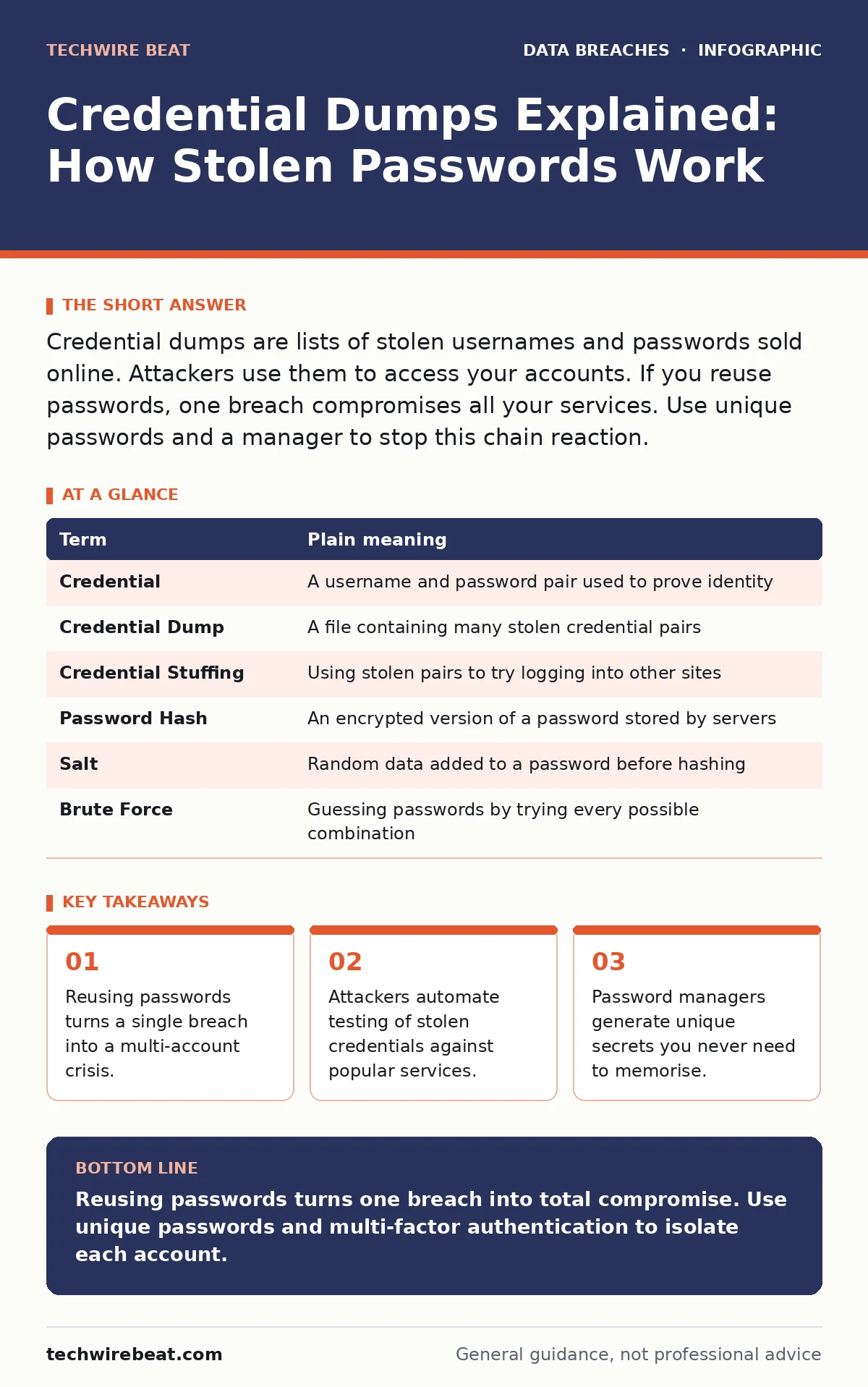
Credential dumps are lists of stolen usernames and passwords sold online. Attackers use them to access your accounts. If you reuse passwords, one breach compromises all your services. Use unique passwords and a manager to stop this chain reaction.
The Library Key Analogy
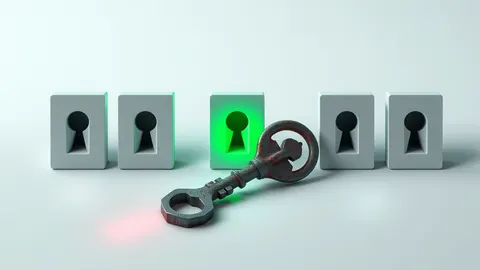
Imagine you use the exact same key for your front door, your office locker and your diary. A burglar steals that key from your pocket. They do not need to pick your front door lock. They already have the key. They try it on your office locker. It opens. They try it on your diary. It opens. This is how credential dumps work. You hand over one secret. The attacker tries that secret everywhere.
What Is a Credential Dump
A credential dump is a file containing stolen usernames and passwords. Cybercriminals steal these from company databases or intercept them during logins. They bundle millions of these pairs into files. They sell these files on hidden networks. The price drops as supply increases. You do not buy the dump. You are the target in the dump. The data inside is real. The damage is immediate.
| Term | Plain meaning |
|---|---|
| Credential | A username and password pair used to prove identity |
| Credential Dump | A file containing many stolen credential pairs |
| Credential Stuffing | Using stolen pairs to try logging into other sites |
| Password Hash | An encrypted version of a password stored by servers |
| Salt | Random data added to a password before hashing |
| Brute Force | Guessing passwords by trying every possible combination |
Why Reuse Is Dangerous
Most people use the same password for email, banking and social media. This saves mental effort. It creates a single point of failure. Imagine the library key again. You lose the key. The thief tries it on every door in the city. Your email is often the master key. Hackers reset passwords on other services using email access. One stolen password unlocks your digital life. This is why unique passwords matter more than complex ones.
How Attackers Use the Data
Attackers do not read every line in a dump. They use software to automate testing. This process is called credential stuffing. The software takes a username and password from the dump. It tries to log into a popular service like Amazon or Netflix. If the credentials work, the attacker gains access. They might buy items with your card. They might steal your data. They might sell your account. The software tries thousands of combinations per minute. Humans cannot do this fast enough.
The Hidden Cost of Convenience
You might think long, complex passwords are enough. They are not if you reuse them. A unique simple password is safer than a reused complex one. Imagine two keys. Key A is complex but opens five doors. Key B is simple but opens only one door. If someone steals Key A, five doors are open. If someone steals Key B, only one door is open. Password managers solve this. They store unique keys for every door. You only remember the master key.
See also: Healthcare Data Breach Response: Steps to Contain and Recover · Password Hygiene Explained: Stop Reusing Keys to Secure Your Digital Life
Simple Safety Habits
You can reduce risk with three habits. First, stop reusing passwords. Use a password manager. Second, enable multi-factor authentication. This adds a second check, like a code on your phone. Even with your password, the attacker needs the code. Third, monitor for breaches. Some services alert you if your email appears in a dump. Change passwords immediately if you see an alert. These steps break the chain of reuse.
- Install a reputable password manager on all devices.
- Enable multi-factor authentication on email and banking.
- Check for exposed credentials using breach monitoring tools.
Beyond Passwords
Passwords are only one layer. Other risks exist. Insider data theft happens when employees steal data. Vendor risk management checks if your suppliers are secure. Personally identifiable information includes your name and address. Medical identity theft uses your health data. Tax identity theft uses your financial details. Backup strategies ensure you recover files. Data loss prevention stops data leaving your network. Secrets management handles software keys. Protecting credentials is just the first step.
What To Do Next
Start with your email account. It is the most valuable target. Change its password to something unique. Enable multi-factor authentication. Then move to your banking apps. Do this one account at a time. You do not need to fix everything today. You need to fix the most critical accounts now. Each unique password reduces your total risk. Each second factor adds a barrier. Small steps build strong defence.
Key takeaways
- Reusing passwords turns a single breach into a multi-account crisis.
- Attackers automate testing of stolen credentials against popular services.
- Password managers generate unique secrets you never need to memorise.
Reusing passwords turns one breach into total compromise. Use unique passwords and multi-factor authentication to isolate each account.
Frequently asked questions
Can I know if my password is in a dump?
Some services alert you if your email appears in known breaches. You can also check public breach databases manually.
Is multi-factor authentication enough on its own?
It adds a strong layer of protection but does not replace the need for unique, strong passwords on every service.
Do password managers store my data safely?
They encrypt your data locally before storing it, so only you can decrypt it with your master password.
What if I forget my master password?
Most managers cannot recover it. You must keep a backup of your master password in a secure physical location.
How this guide was produced: written by the TechWire Beat editorial team with AI assistance, checked against the public references listed below, and reviewed when the facts change. See our editorial policy or report an error.