Difference Between Smishing and Vishing: How Each Attack Works
Attackers exploit the psychological pressure of urgency in text messages more effectively than in voice calls because texts allow instant credential theft.
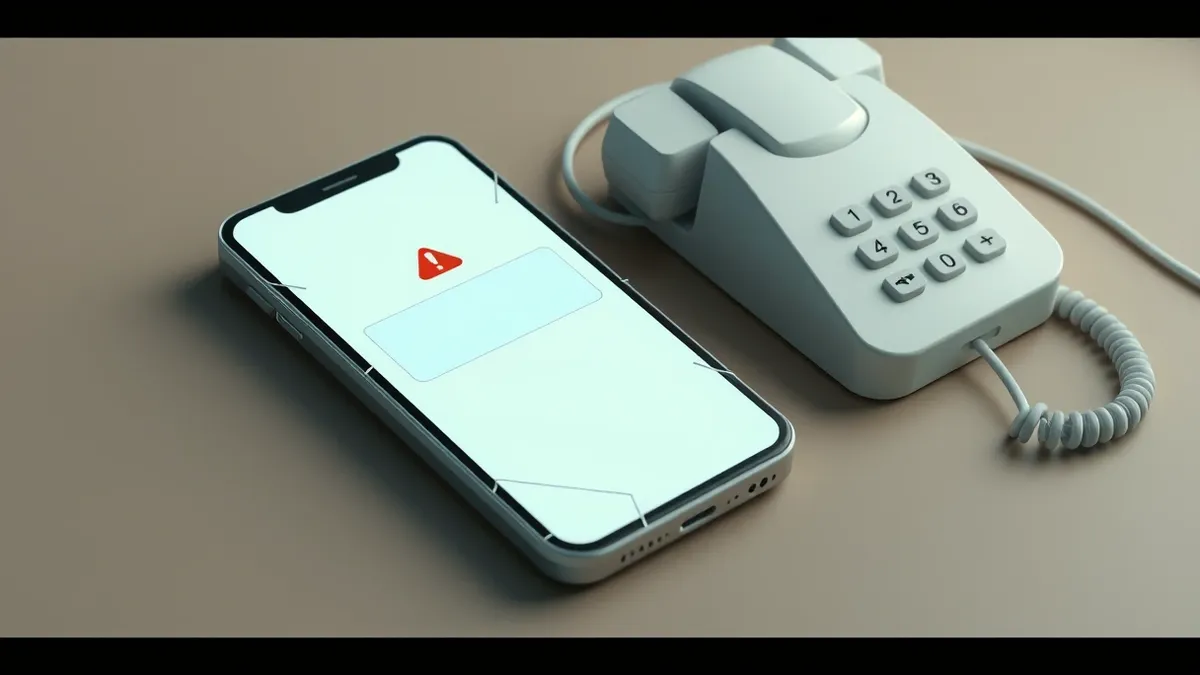
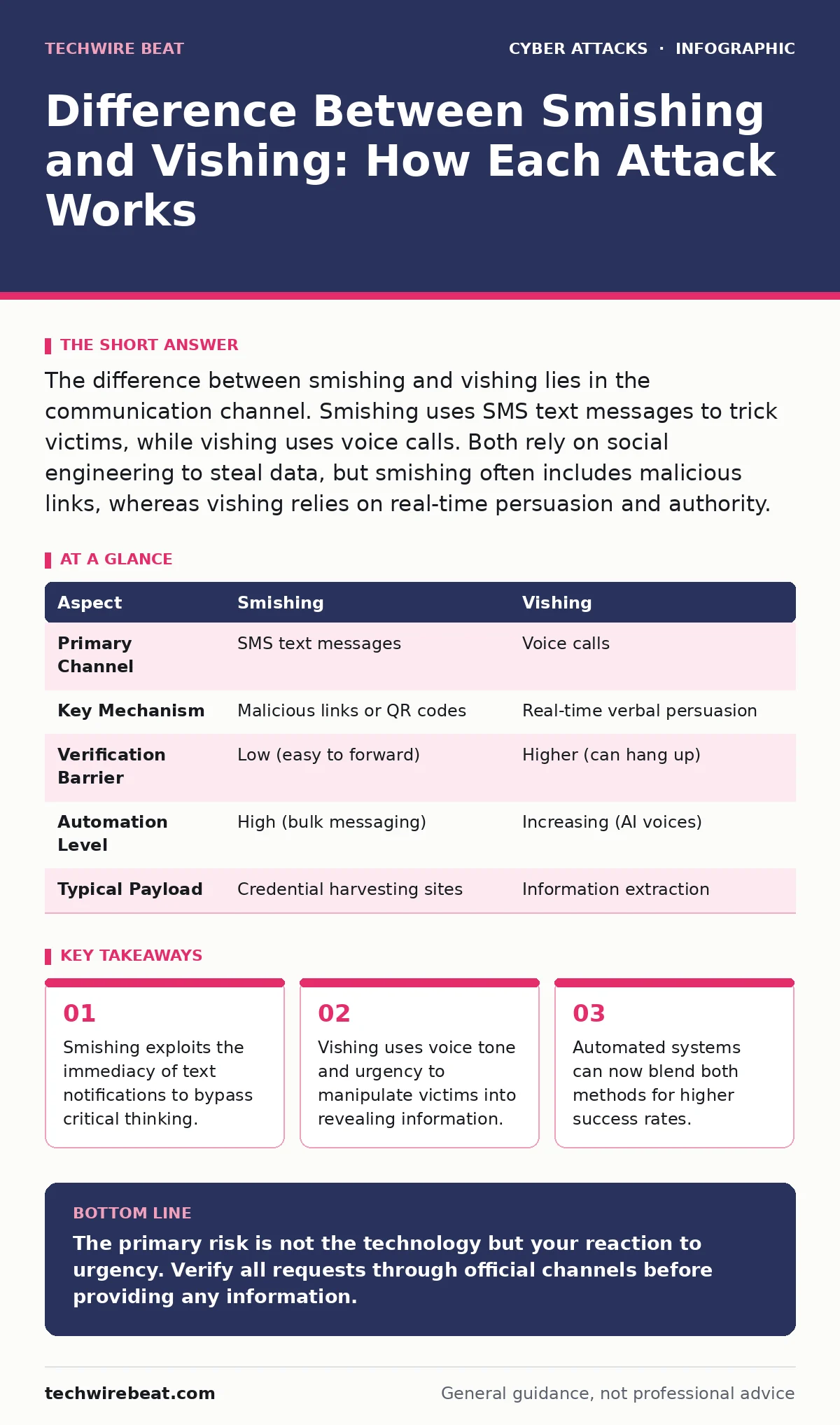
The difference between smishing and vishing lies in the communication channel. Smishing uses SMS text messages to trick victims, while vishing uses voice calls. Both rely on social engineering to steal data, but smishing often includes malicious links, whereas vishing relies on real-time persuasion and authority.
The Urgency Trap
Imagine you receive a message stating your bank account is locked. The sender demands immediate action to restore access. This scenario illustrates the core mechanism of social engineering. Attackers exploit human psychology rather than technical vulnerabilities. They create a sense of panic or urgency. This emotional state reduces your ability to verify claims. The goal is not to break into a system technically. The goal is to persuade you to open the door.
| Aspect | Smishing | Vishing |
|---|---|---|
| Primary Channel | SMS text messages | Voice calls |
| Key Mechanism | Malicious links or QR codes | Real-time verbal persuasion |
| Verification Barrier | Low (easy to forward) | Higher (can hang up) |
| Automation Level | High (bulk messaging) | Increasing (AI voices) |
| Typical Payload | Credential harvesting sites | Information extraction |
Defining the Threat Vectors
Smishing combines SMS with phishing. It delivers deceptive messages to mobile devices. These messages often mimic legitimate organisations. They claim to be from banks, delivery services or government bodies. The message contains a link or attachment. Clicking the link directs you to a fake website. Typing your details into that site hands your credentials to the attacker. The attack succeeds because text messages feel personal and immediate. You check them quickly and often without scrutiny.
Vishing combines voice with phishing. It uses telephone calls to deceive victims. The caller pretends to be a trusted entity. They might claim to be IT support or a fraud department. The attacker asks for verification codes or passwords. They may use silence or background noise to create confusion. The pressure comes from the live interaction. You feel compelled to respond to the person on the line. This real-time dynamic allows attackers to adapt their script. They change their approach based on your reactions.
Psychological Triggers and Tactics
Attackers study human behaviour to craft their messages. They know you trust official-looking logos and language. They use this trust against you. Smishing messages often use short URLs. These obscure the true destination. Vishing attackers use caller ID spoofing. This makes the call appear to come from a local or familiar number. Both methods aim to lower your guard. They remove the friction of verification.
The urgency factor is central to both attacks. A smishing message might say your account will close in 24 hours. A vishing caller might say fraud is detected right now. This time pressure forces quick decisions. Quick decisions bypass logical checks. You do not have time to think. You act on impulse. The attacker counts on this impulse. They want you to skip the step of calling the real organisation.
Who Is Targeted?
No demographic is immune to these attacks. Attackers use broad casting methods. They send thousands of messages or make thousands of calls. They do not target specific individuals initially. They cast a wide net to find anyone who reacts. However, certain groups face higher risks. Elderly users may struggle to verify digital claims. Younger users may overestimate their immunity. Both groups can fall for well-crafted deception.
Business employees are also frequent targets. Attackers send smishing messages pretending to be HR or IT. They ask for password resets or sensitive data. The message looks internal and routine. The employee complies to avoid trouble. This insider compliance gives attackers access to corporate networks. The damage is often greater than individual victimisation. The attacker gains a foothold in a larger system.
Common Misconceptions About Safety
People often believe that technical controls stop these attacks. They think firewalls or antivirus software provide protection. This belief is incorrect for social engineering. No software can read your mind. No tool can verify the intent of a text message. You must perform the verification. This is the hidden cost of these attacks. The burden of security shifts entirely to the user.
Another mistake is assuming voice calls are safer. Vishing feels more formal than a text. You might think a real person would not lie. This is not true. Scammers use professional scripts and accents. They sound authoritative and calm. This professionalism increases trust. It makes the deception more effective. Do not assume the medium determines the risk. The risk comes from the manipulation technique.
See also: Spoofing vs Phishing: The Critical Difference You Must Know · Bring Your Own Device Policies: How to Secure Personal Gadgets at Work
Blending with Advanced Techniques
Attackers now combine smishing and vishing with other methods. They may use cybercrime-as-a-service platforms to buy lists and scripts. These services lower the barrier to entry. Amateur criminals can run sophisticated campaigns. They do not need technical skills. They only need access to the tools. This democratisation of attack tools increases the volume of attempts.
Some campaigns include browser-in-the-browser attacks. After clicking a smishing link, you see a fake login window. It overlays your real browser. You think you are logging into your bank. You are actually typing into a script. The attacker captures everything. This technique mimics the real interface perfectly. It defeats visual checks for URL mismatches. The user sees exactly what they expect to see.
Verification and Mitigation Strategies
You must verify all unexpected requests. Never use the contact details in the message or call. Use the official website or phone number from your statement. This step breaks the attack chain. It forces the attacker to reveal themselves. Most fake systems cannot handle direct verification. They collapse when you call the real support line.
Enable multi-factor authentication wherever possible. This adds a layer of protection even if you leak your password. However, do not share one-time codes via text or phone. Legitimate organisations will never ask for these codes. If you receive a request for a code, hang up or delete the message. Treat the request as a confirmed attack. Report it to your service provider. This helps them block the source.
Consider using passkeys for critical accounts. Passkeys replace passwords with cryptographic keys. They are resistant to phishing and smishing. An attacker cannot trick you into handing over a passkey. The authentication happens locally on your device. This technology removes the human element from the login process. It eliminates the risk of credential theft via social engineering.
Long-term Security Hygiene
Security is not a one-time setup. It requires ongoing attention. Review your account settings regularly. Check for unknown devices or sessions. Monitor your financial statements for small, unusual transactions. These may indicate a testing phase by an attacker. Early detection limits the damage. It prevents the full compromise of your identity.
Educate yourself on the latest tactics. Attackers change their scripts constantly. They adapt to new awareness campaigns. What worked last month may not work today. Stay informed about emerging threats. Share this knowledge with friends and family. Collective awareness raises the overall defence level. It makes it harder for attackers to find easy targets.
The difference between smishing and vishing is subtle but distinct. One uses text, the other uses voice. Both aim to exploit your trust. Both rely on your urgency. Understanding the mechanism helps you spot the red flags. You become less likely to react impulsively. You become more likely to verify carefully. This shift in behaviour is your strongest defence.
Key takeaways
- Smishing exploits the immediacy of text notifications to bypass critical thinking.
- Vishing uses voice tone and urgency to manipulate victims into revealing information.
- Automated systems can now blend both methods for higher success rates.
The primary risk is not the technology but your reaction to urgency. Verify all requests through official channels before providing any information.
Frequently asked questions
Can my phone carrier block smishing messages?
Carriers can filter some automated spam, but they cannot read every message for context. Many smishing messages come from legitimate-looking numbers or use complex routing to evade filters. You must still verify the content yourself.
Is vishing more dangerous than smishing?
Neither is inherently more dangerous. Smishing can reach more people quickly and uses links for instant theft. Vishing allows real-time manipulation and can extract more detailed information. Both require the same careful verification response.
How do I know if a text is smishing?
Look for urgent requests for personal data, unexpected links, or poor grammar. Legitimate organisations rarely ask for passwords or codes via SMS. If the message pressures you to act immediately, treat it with suspicion and verify through a separate channel.
Can hardware security keys stop these attacks?
Hardware security keys protect against credential theft by requiring physical presence. They prevent attackers from using stolen passwords. However, they do not stop the initial social engineering attempt. You still need to recognise the scam to avoid other risks.
How this guide was produced: written by the TechWire Beat editorial team with AI assistance, checked against the public references listed below, and reviewed when the facts change. See our editorial policy or report an error.