Browser-in-the-Browser Attacks: 6 Myths That Keep You Vulnerable
These attacks hijack your display layer to mimic login screens, rendering standard visual checks and even some multi-factor methods ineffective against sophisticated credential theft.

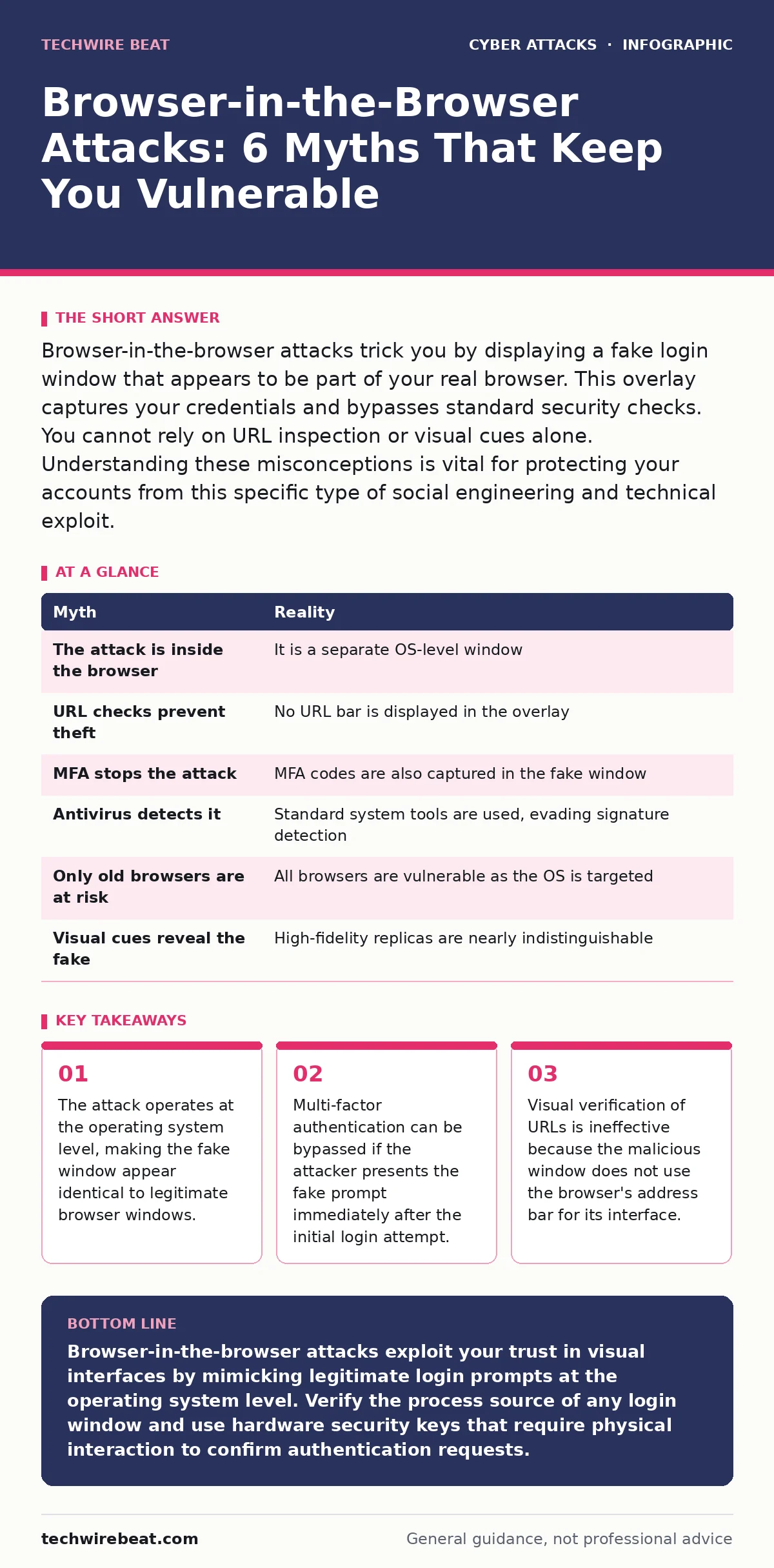
Browser-in-the-browser attacks trick you by displaying a fake login window that appears to be part of your real browser. This overlay captures your credentials and bypasses standard security checks. You cannot rely on URL inspection or visual cues alone. Understanding these misconceptions is vital for protecting your accounts from this specific type of social engineering and technical exploit.
Myth: The Attack Happens Inside the Browser Window
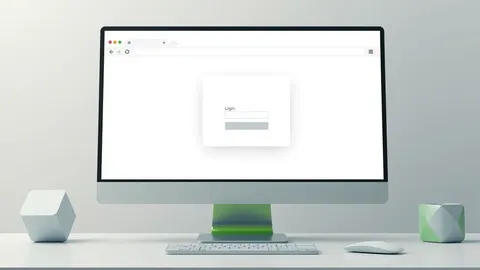
Reality: The malicious window is not embedded within your web browser. It is a separate application window launched by your operating system. Attackers use standard system APIs to create a window that looks exactly like your browser’s login prompt. This window floats above your actual browser but is technically distinct from it.
Because it is a native application window, it does not share the browser’s security sandbox. The browser itself remains unaware of the fake window. This separation means that browser extensions and security settings cannot inspect or block the overlay. You are interacting with a program that has the same permissions as any other installed application.
Myth: Checking the URL Bar Prevents the Attack
Reality: The fake login window does not display a URL bar in the traditional sense. It mimics the visual design of a login dialog, often including a generic domain name or no address at all. Attackers design these overlays to look like the standard authentication pop-ups used by major services. You might see a logo and input fields, but there is no address bar to inspect for HTTPS or correct domain spelling.
Even if you could see an address, the window is not loading a webpage. It is a local graphical interface collecting data directly. Relying on URL verification fails because the mechanism bypasses the browser’s navigation entirely. The attack exploits your expectation that login prompts always show a web address.
Myth: Multi-Factor Authentication Stops Credential Theft
Reality: Multi-factor authentication adds a layer of security, but it does not make this attack impossible. Sophisticated attackers present the second factor prompt within the same fake window. If you enter your password and then your one-time code into the overlay, both pieces of data are stolen. The attacker can then use them to log in to the real service.
Some attacks even delay the second prompt to mimic the timing of the legitimate service. This makes the experience feel authentic. The vulnerability lies in the user trusting the visual context of the prompt. If the prompt looks correct, users often enter their codes without question. MFA protects against stolen passwords alone, but not against a fully compromised authentication session initiated by a fake interface.
Myth: Antivirus Software Detects the Malicious Window
Reality: The code creating the fake window is often unsigned or uses legitimate system tools. Many modern attacks use PowerShell or Windows Script Host to draw the interface. These tools are standard parts of the operating system and are rarely flagged by antivirus software. The malicious behaviour is the deception, not the code execution.
Antivirus solutions look for known malware signatures or suspicious file behaviour. A script that draws a window and waits for input does not necessarily match a malware signature. The attack relies on social engineering rather than malicious binaries. Therefore, traditional endpoint protection may not alert you. You must rely on behavioural awareness rather than automated detection for this specific threat vector.
Myth: Only Outdated Browsers Are Vulnerable
Reality: This attack targets the operating system, not the browser version. It works on the latest versions of Chrome, Firefox, Safari and Edge. The vulnerability is not a browser bug but a feature of how operating systems handle window management. Any system that allows applications to create custom windows is susceptible. Attackers exploit the trust users place in familiar visual designs.
This means updating your browser provides no protection against browser-in-the-browser attacks. The risk exists regardless of your software patch status. The attack vector is independent of web technologies. It relies on the graphical user interface layer. Keeping your browser updated is good practice, but it does not mitigate this specific risk.
See also: What does tailgating mean: how to stop physical security breaches · Spoofing vs Phishing: The Critical Difference You Must Know
Myth: Users Can Always Spot the Fake Window Visually
Reality: Attackers invest significant effort in replicating the exact look and feel of legitimate login screens. They copy fonts, colours, logos and error messages. The fake window often includes subtle details that real users notice, such as specific button layouts or tooltip texts. Distinguishing a perfect replica from the real interface is difficult for non-technical users.
The overlay may even block the real browser window, preventing you from comparing them. Contextual cues, like being on a legitimate website, reinforce the illusion. You are expected to trust the prompt because it appears where you expect it. Visual inspection is an unreliable defence against high-fidelity deception. The attack succeeds because it exploits cognitive trust rather than technical weakness.
Myth: The Attack Requires Complex Hacking Skills
Reality: The tools to create these overlays are widely available and simple to use. Attackers often use open-source scripts or pre-built kits. The complexity lies in the social engineering, not the code. The script simply draws a window and captures input. No advanced programming knowledge is required to deploy it.
The barrier to entry is low, which increases the frequency of these attacks. Criminals distribute these tools to others who can execute them remotely. The success rate depends on convincing the victim to interact with the window. This makes the attack accessible to a wide range of threat actors. You should assume that even low-skill attackers can deploy this technique against you.
| Myth | Reality |
|---|---|
| The attack is inside the browser | It is a separate OS-level window |
| URL checks prevent theft | No URL bar is displayed in the overlay |
| MFA stops the attack | MFA codes are also captured in the fake window |
| Antivirus detects it | Standard system tools are used, evading signature detection |
| Only old browsers are at risk | All browsers are vulnerable as the OS is targeted |
| Visual cues reveal the fake | High-fidelity replicas are nearly indistinguishable |
Key takeaways
- The attack operates at the operating system level, making the fake window appear identical to legitimate browser windows.
- Multi-factor authentication can be bypassed if the attacker presents the fake prompt immediately after the initial login attempt.
- Visual verification of URLs is ineffective because the malicious window does not use the browser's address bar for its interface.
Browser-in-the-browser attacks exploit your trust in visual interfaces by mimicking legitimate login prompts at the operating system level. Verify the process source of any login window and use hardware security keys that require physical interaction to confirm authentication requests.
Frequently asked questions
How do I know if a login window is real or fake?
Check the task manager or activity monitor to see which process is running the window. Legitimate browser windows will show the browser’s name, while fake ones may show generic script names or unknown processes.
Can I use multi-factor authentication to stop these attacks?
Standard multi-factor authentication is not enough because the fake window can capture your second factor. Use hardware security keys that require a physical press to approve a login, as these cannot be intercepted by a fake software window.
What is the difference between this and a phishing email?
Phishing emails direct you to a fake website. Browser-in-the-browser attacks display a fake window directly on your screen without you visiting a malicious URL. The latter is harder to detect because it lacks the typical signs of a suspicious link.
Are mobile devices vulnerable to browser-in-the-browser attacks?
Mobile operating systems have stricter window management rules. It is much harder for an app to create an overlay that mimics the system UI without user permission. Desktop environments are currently the primary target for this specific technique.
How this guide was produced: written by the TechWire Beat editorial team with AI assistance, checked against the public references listed below, and reviewed when the facts change. See our editorial policy or report an error.