Is Passkeys Safe? The Cryptographic Reality Behind Passwordless Login
Passkeys replace shared secrets with device-bound keys, meaning your credentials never leave your hardware and cannot be reused across sites to cause widespread damage.
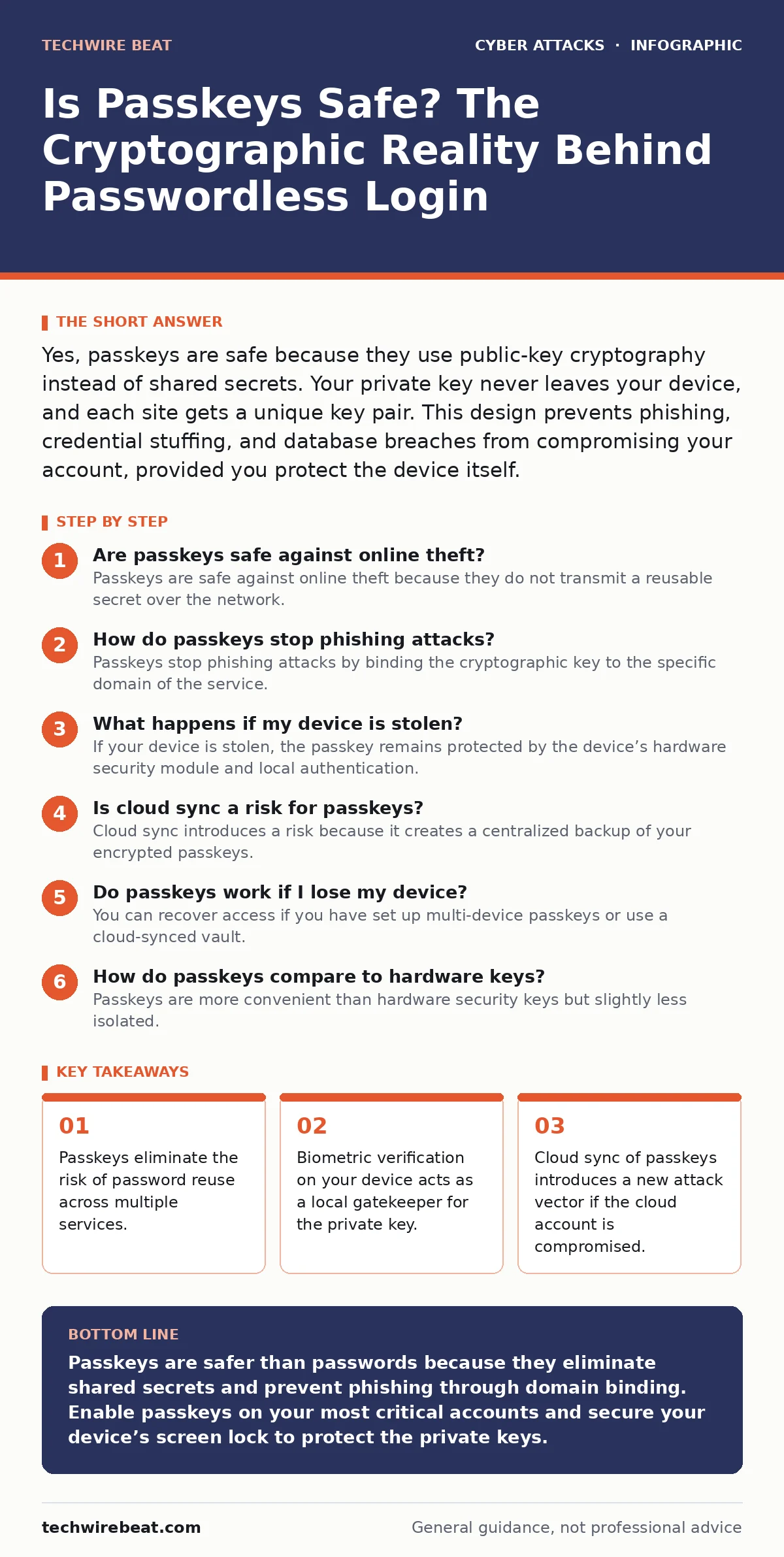
Yes, passkeys are safe because they use public-key cryptography instead of shared secrets. Your private key never leaves your device, and each site gets a unique key pair. This design prevents phishing, credential stuffing, and database breaches from compromising your account, provided you protect the device itself.
Are passkeys safe against online theft?
Passkeys are safe against online theft because they do not transmit a reusable secret over the network. Traditional passwords are shared secrets; you know them, and the server knows them, so either side can be compromised. Passkeys use asymmetric cryptography, where a public key is stored on the server and a private key stays on your device. When you log in, your device signs a challenge from the server using the private key. The server verifies the signature with the public key. No secret is ever sent, so intercepting the traffic reveals nothing useful to an attacker.
How do passkeys stop phishing attacks?
Passkeys stop phishing attacks by binding the cryptographic key to the specific domain of the service. A standard password works on any website that asks for it, so a fake site looking like your bank can trick you into typing it. A passkey is cryptographically bound to the origin URL. If you visit a phishing site, even if it looks identical, your device will refuse to offer the passkey because the domain does not match. The browser checks the domain before prompting for biometric confirmation. This mechanism makes credential harvesting via fake login pages technically impossible for passkey-enabled services.
What happens if my device is stolen?
If your device is stolen, the passkey remains protected by the device’s hardware security module and local authentication. The private key is stored in a secure enclave, a dedicated part of the processor that isolates cryptographic operations. An attacker cannot simply copy the key file from your storage. They must bypass the screen lock, which usually requires your fingerprint, face data, or PIN. Without this local verification, the secure enclave will not release the key to sign any login request. Imagine a thief stealing your laptop; they gain access to your files only if they can guess your screen lock password, not by stealing the passkey directly.
Is cloud sync a risk for passkeys?
Cloud sync introduces a risk because it creates a centralized backup of your encrypted passkeys. Services like iCloud Keychain or Google Password Manager allow you to recover passkeys on a new device. These backups are encrypted, but they rely on the security of your cloud account. If an attacker compromises your cloud account, they may gain access to the encrypted vault. They still need your device passcode to decrypt the individual keys, but the barrier is lower than having no backup at all. This trade-off offers convenience at the cost of a larger attack surface. Review your account lockout policies to ensure brute-force attempts on your cloud account are blocked.
Do passkeys work if I lose my device?
You can recover access if you have set up multi-device passkeys or use a cloud-synced vault. If you rely solely on a single device without backup, losing that device means losing access to those accounts. Most modern systems allow you to register the same passkey on multiple devices, such as a phone and a laptop. This redundancy ensures that losing one gadget does not lock you out. However, each additional device increases the number of endpoints that could potentially be compromised. You must balance the convenience of redundancy with the security of minimizing exposure.
How do passkeys compare to hardware keys?
Passkeys are more convenient than hardware security keys but slightly less isolated. Hardware security keys are physical devices that plug into your computer or use NFC to communicate. They contain a secure element that never exposes the private key, even if the host computer is infected with malware. Passkeys rely on the host device’s secure enclave. If the operating system has a severe vulnerability, malware might trick the enclave into signing a request, though this is rare. Hardware keys are the gold standard for high-risk accounts, while passkeys offer strong protection for general use. Understanding the difference helps you decide where to use each method.
What are the limitations of passkey technology?
Passkeys have limitations regarding adoption and recovery complexity. Not all websites support passkeys yet, so you must fall back to passwords for some services. This fragmentation means you still need to manage traditional credentials. Additionally, if you lose access to all registered devices and your cloud backup, account recovery can be difficult. Some services lack robust out-of-band recovery methods. You should verify that any service using passkeys has a clear recovery process before abandoning passwords entirely. Security awareness training helps users understand these recovery paths before they are needed.
| Feature | Traditional Password | Passkey | Hardware Key |
|---|---|---|---|
| Secret Storage | Server and User Memory | Device Secure Enclave | Physical Device |
| Phishing Resistance | Low | High | High |
| Convenience | Medium | High | Low |
| Recovery Risk | Moderate | High (if no backup) | High (if lost) |
| Credential Reuse | Common | Impossible | Impossible |
Can malware bypass passkey security?
Malware can bypass passkey security through social engineering or sophisticated display attacks. If malware runs on your device, it cannot steal the private key from the secure enclave. However, it can manipulate what you see on the screen. Imagine a malicious app that overlays a fake login prompt over the real one. You might biometrically approve a login to a fake site, thinking it is real. The malware then forwards the signed request to the attacker. This is why you must always verify the URL in your browser’s address bar, not just the content of the page. This risk highlights why security awareness training remains relevant even with advanced cryptography.
What should I do to maximize passkey safety?
To maximize passkey safety, you should prioritize enabling passkeys on critical accounts and securing your device’s screen lock. Use a strong PIN or biometric method for your device unlock, as this is the final gatekeeper for your private keys. Regularly audit which devices have access to your passkeys and remove old or lost devices from your account settings. Consider using hardware security keys for your most sensitive accounts, such as primary email or financial services, to add an extra layer of isolation. This layered approach mitigates the risks associated with device loss or software vulnerabilities.
Key takeaways
- Passkeys eliminate the risk of password reuse across multiple services.
- Biometric verification on your device acts as a local gatekeeper for the private key.
- Cloud sync of passkeys introduces a new attack vector if the cloud account is compromised.
Passkeys are safer than passwords because they eliminate shared secrets and prevent phishing through domain binding. Enable passkeys on your most critical accounts and secure your device’s screen lock to protect the private keys.
Frequently asked questions
Do passkeys work offline?
Yes, passkeys work offline because the private key and signing process happen entirely on your device. The device only needs to send the resulting signature to the server, which requires an internet connection, but generating the credential does not.
Can I use passkeys on a computer without a biometric sensor?
Yes, you can use passkeys on computers without biometric sensors by using a smartphone or tablet as a second factor. The computer generates the login request, and your phone verifies it via Bluetooth or NFC, then signs the challenge.
Are passkeys vulnerable to cryptomining attacks on exposed servers?
No, passkeys do not increase the risk of cryptomining attacks. Cryptomining exploits server resources, while passkeys protect user authentication. However, if a server is compromised, attackers might try to reset your password, but passkeys prevent them from logging in directly with stolen credentials.
What if I change my phone number?
Changing your phone number does not affect passkeys stored on your device or in your cloud sync. Passkeys are tied to your device or cloud account, not your phone number. However, ensure your cloud account recovery methods are updated to avoid losing access to the vault.
How this guide was produced: written by the TechWire Beat editorial team with AI assistance, checked against the public references listed below, and reviewed when the facts change. See our editorial policy or report an error.