One-time password meaning: how the code works and why it fails
One-time passwords protect your account login but cannot stop an attacker who already has your session cookie or has bypassed the authentication step entirely.
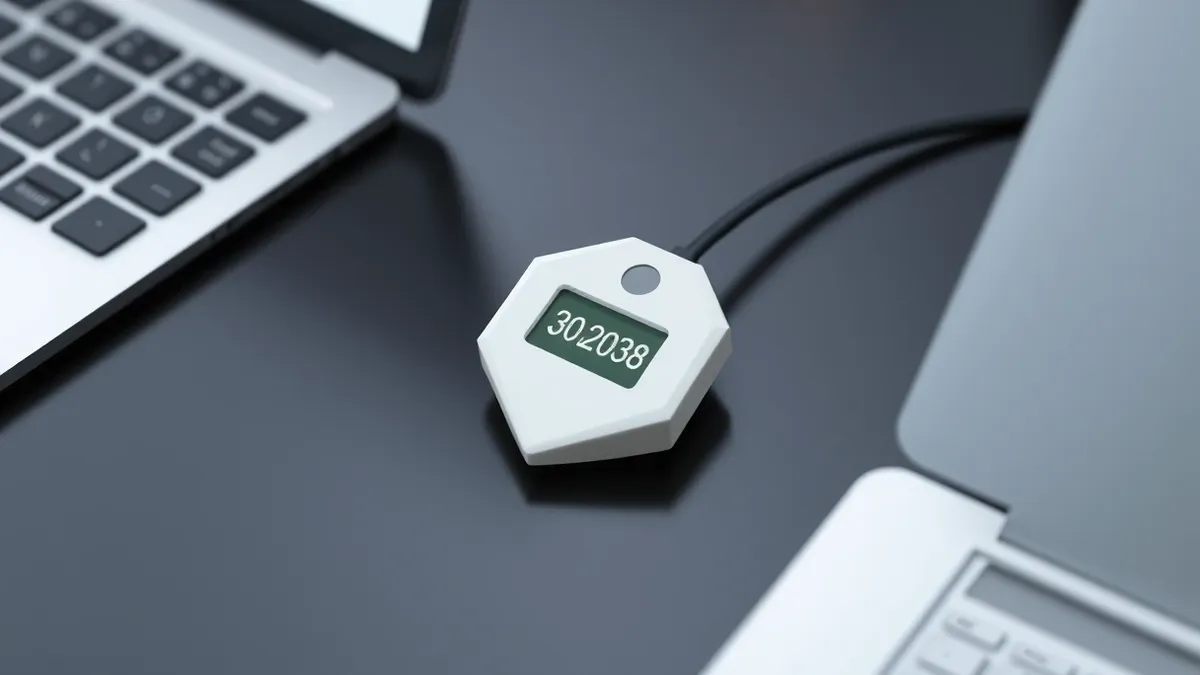
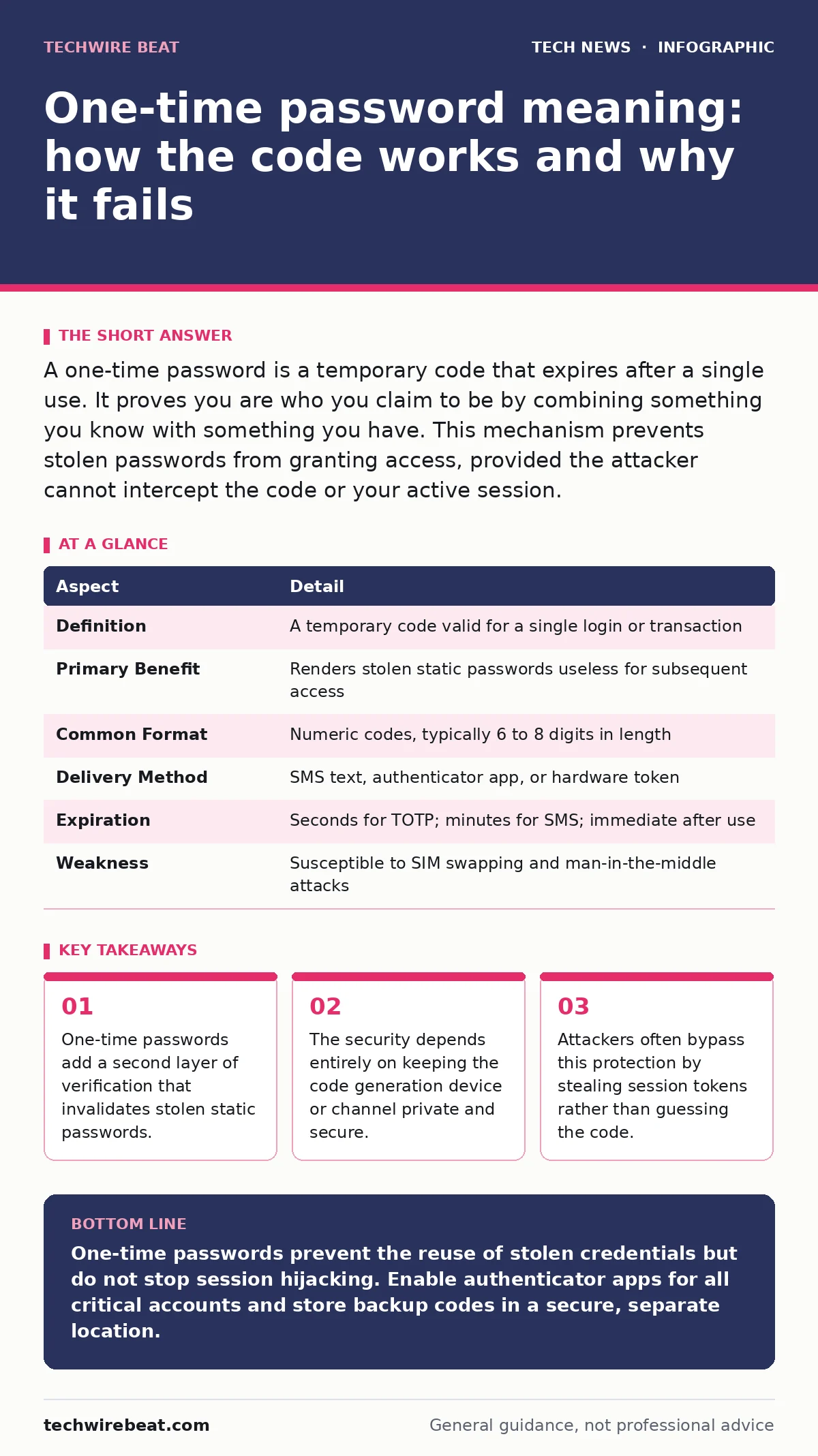
A one-time password is a temporary code that expires after a single use. It proves you are who you claim to be by combining something you know with something you have. This mechanism prevents stolen passwords from granting access, provided the attacker cannot intercept the code or your active session.
Everyday analogy for temporary access
Imagine a hotel that uses physical key cards for room entry. You present your ID and credit card at reception to prove your identity. The receptionist then encodes a specific key card for your room. This card works only for that night and only for that door. If a thief steals your credit card details, they cannot enter your room because they lack the physical key card. The credit card is your password. The key card is the one-time password.
What is the one-time password meaning?
The one-time password meaning refers to a cryptographic authentication method where a password is valid for only one login session or transaction. Unlike static passwords, which remain constant until changed, these codes change frequently or are single-use. This design ensures that even if an attacker captures the code, they cannot reuse it to gain access later. The system relies on the principle that the code has a limited lifespan and a narrow scope of validity.
| Aspect | Detail |
|---|---|
| Definition | A temporary code valid for a single login or transaction |
| Primary Benefit | Renders stolen static passwords useless for subsequent access |
| Common Format | Numeric codes, typically 6 to 8 digits in length |
| Delivery Method | SMS text, authenticator app, or hardware token |
| Expiration | Seconds for TOTP; minutes for SMS; immediate after use |
| Weakness | Susceptible to SIM swapping and man-in-the-middle attacks |
How the mechanism generates security
The system works by synchronising a secret key between your device and the server. When you attempt to log in, both sides calculate a code based on this shared secret and a variable factor. For time-based systems, the variable is the current time. For counter-based systems, the variable is a sequence number. The server checks if the code you enter matches the code it expects for that specific moment or sequence. If it matches, access is granted. The code is then marked as used and becomes invalid.
This process eliminates the risk of replay attacks. A replay attack occurs when an attacker intercepts a valid transmission of data and fraudulently retransmits it. Because the code changes or expires immediately, the intercepted data is worthless. The security relies on the secrecy of the initial shared key and the integrity of the time or counter synchronization. If the server and client clocks drift apart, the code will not match, and access is denied.
Who is affected by this standard
Every organisation that values data integrity adopts this mechanism for user authentication. You encounter it when banking online, accessing corporate networks, or logging into social media platforms. It affects individual users who must manage multiple codes across different services. It also affects administrators who must balance security with user convenience. The shift away from static passwords places a new responsibility on users to protect their secondary authentication devices.
Organisations that rely solely on email or SMS for delivery face higher risks. These channels can be compromised through SIM swapping or email account takeover. Hardware tokens and authenticator apps offer better protection because they do not rely on external telecom or email infrastructure. The choice of delivery method directly impacts the security posture of the entire organisation.
What people usually get wrong
Many users believe that one-time passwords provide complete protection against all forms of account takeover. This is incorrect. These codes only protect the initial login step. They do not protect the session that follows. If an attacker steals your session cookie while you are logged in, they can bypass the login screen entirely. The session cookie acts as a digital badge that proves you have already authenticated.
Another common misconception is that SMS codes are secure because they require a phone number. Phone numbers are not secret. They are publicly listed and can be ported to new SIM cards with social engineering. Authenticator apps are superior because the secret key never leaves your device. It is generated locally and never transmitted over the network. The security of the app depends on the physical security of the device it resides on.
See also: Password Hygiene Explained: Stop Reusing Keys to Secure Your Digital Life
Hidden costs and edge cases
The hidden cost of this system is user friction. Users often lose access to their accounts when they change phones or lose their authenticator device. Recovery processes are often cumbersome and require manual verification by support staff. This creates a bottleneck for both users and support teams. Organisations must invest in robust recovery mechanisms to handle these scenarios without compromising security.
Edge cases include clock skew in time-based systems. If your device clock is off by even a few seconds, the generated code may be rejected. Most systems allow a small window of tolerance, but this reduces security slightly. Another edge case is the offline nature of hardware tokens. While they are secure, they are useless if the battery dies or the device is lost. Users must have backup methods, which introduces additional attack surfaces.
What to do about it
You should prioritise authenticator apps or hardware tokens over SMS for all critical accounts. These methods keep the secret key on your device, reducing the risk of interception. Enable this feature on every service that supports it, including email and social media. Email accounts are particularly critical because they are often used to reset passwords for other services.
Regularly review your active sessions and logged-in devices. This helps you detect unauthorized access early. If you notice a device you do not recognise, log it out immediately and change your password. Consider using a password manager to store your backup codes securely. This ensures you can recover access if you lose your primary device.
Related security frameworks
Understanding how these codes fit into the broader security picture is helpful. For instance, OAuth allows applications to access your data without sharing your password, reducing the exposure of your credentials. Similarly, DNS security protocols protect the resolution of domain names, ensuring you connect to the legitimate server rather than a fake one. These layers work together to create a defence in depth strategy.
While AES encryption protects your data at rest and in transit, one-time passwords protect the initial access point. Post-quantum cryptography aims to secure data against future quantum computers, which could break current encryption standards. Staying informed about these developments helps you maintain a robust security posture. Certificate Transparency logs all issued certificates, making it easier to detect fraudulent ones. These mechanisms complement each other to provide comprehensive protection.
Key takeaways
- One-time passwords add a second layer of verification that invalidates stolen static passwords.
- The security depends entirely on keeping the code generation device or channel private and secure.
- Attackers often bypass this protection by stealing session tokens rather than guessing the code.
One-time passwords prevent the reuse of stolen credentials but do not stop session hijacking. Enable authenticator apps for all critical accounts and store backup codes in a secure, separate location.
Frequently asked questions
Is SMS two-factor authentication secure enough?
SMS is vulnerable to SIM swapping and interception. It is better than nothing but inferior to authenticator apps or hardware tokens. Use it only if no better option is available.
What happens if I lose my authenticator app?
You will be locked out unless you have backup codes. Use these codes to regain access and then set up the app on your new device. Store backup codes securely.
Can hackers bypass one-time passwords?
Yes, through phishing attacks that steal the code in real-time or by stealing session cookies. Use anti-phishing measures and monitor your active sessions regularly.
Do one-time passwords expire?
Yes, they are valid for a short period, typically 30 to 60 seconds for time-based codes. They become invalid immediately after use or when the time window passes.
How this guide was produced: written by the TechWire Beat editorial team with AI assistance, checked against the public references listed below, and reviewed when the facts change. See our editorial policy or report an error.