Data Center Attacks: Risks and Protection for Small Businesses
Small firms face data center risks through shared infrastructure, requiring specific contract clauses and network segmentation to mitigate exposure.

Small businesses are exposed to data center attacks via shared physical infrastructure and virtualised environments. Protect assets by enforcing strict access controls, segmenting networks, and verifying provider security audits. Ask providers about incident response times, data isolation methods, and backup integrity to ensure resilient operations.
The Shared Risk Model
Small organisations often assume that renting space in a professional data center eliminates physical security risks. This assumption fails because data centers operate on a shared infrastructure model. Multiple tenants occupy the same physical racks, power grids, and cooling systems. A failure in one area affects all users. Attackers exploit this proximity. They target weaker tenants to gain footholds within the broader facility. This lateral movement bypasses the stronger security controls of well-protected companies.
The risk extends beyond physical access. Virtualisation technology allows multiple virtual machines to run on a single physical server. If the hypervisor software is compromised, an attacker can escape the virtual boundary. They can then access the memory and storage of other virtual machines on the same host. This technique, known as VM escape, turns a single compromised server into a gateway for multiple victims. Small businesses rarely have the resources to monitor hypervisor integrity themselves. They rely entirely on the provider’s security posture.
Why Small Organisations Are Exposed
Small firms face unique vulnerabilities when relying on third-party data centers. Budget constraints often lead to choosing providers based on price rather than security credentials. Cheaper providers may lack advanced intrusion detection systems or rigorous physical access controls. They might also delay software patching due to limited staff. This delay creates windows of opportunity for attackers exploiting known vulnerabilities.
Another exposure point is misconfiguration. Small teams often lack dedicated security engineers. They may leave default ports open or use weak administrative credentials for cloud management consoles. These errors are common entry points for automated scanning tools. Attackers do not need to break through complex encryption. They simply look for doors left unlocked by human error. The consequence is immediate data access.
Resource limitations also mean small businesses cannot maintain 24/7 security operations centers. They depend on their provider to detect and respond to anomalies. If the provider’s monitoring is slow or ineffective, the small business remains blind to ongoing breaches. This dependency creates a single point of failure. The small firm’s security posture is only as strong as the weakest link in the provider’s chain.
Low-Cost Protections for Tenants
You can significantly reduce risk without expensive hardware. Network segmentation is the most effective low-cost measure. Divide your virtual network into isolated zones. Place sensitive data in a separate segment from public-facing services. Use firewalls to restrict traffic between these zones. This limits the damage if one part of your system is compromised. Attackers cannot easily move laterally to your critical databases.
Enforce strict access controls. Implement multi-factor authentication for all administrative accounts. This adds a layer of verification beyond passwords. Hardware security keys provide the highest level of protection against credential theft. They are resistant to phishing and remote attacks. Require this for anyone with root or administrator access. Limit the number of people who hold these keys. Rotate them regularly.
Maintain offline backups. Store copies of your critical data in a separate location, disconnected from the network. This protects against ransomware that encrypts live systems. Verify backup integrity regularly. Test restoration procedures to ensure data is usable. An untested backup is no backup at all. This simple practice can save your business from catastrophic data loss.
What to Ask an IT Provider
Choosing the right provider requires specific questions. Do not accept generic assurances. Demand concrete details about their security practices. You need to understand their incident response capabilities. Ask how quickly they detect and isolate breaches. Request details on their physical security protocols. Who has access to the server rooms? How is that access logged and monitored?
Ask about their data isolation methods. How do they prevent VM escape? Do they use dedicated hardware for critical tenants? Request copies of their recent security audits. Look for independent assessments, not self-certifications. Understand their backup and disaster recovery processes. Where are backups stored? How frequently are they tested? Ensure they have a clear plan for restoring services after an attack.
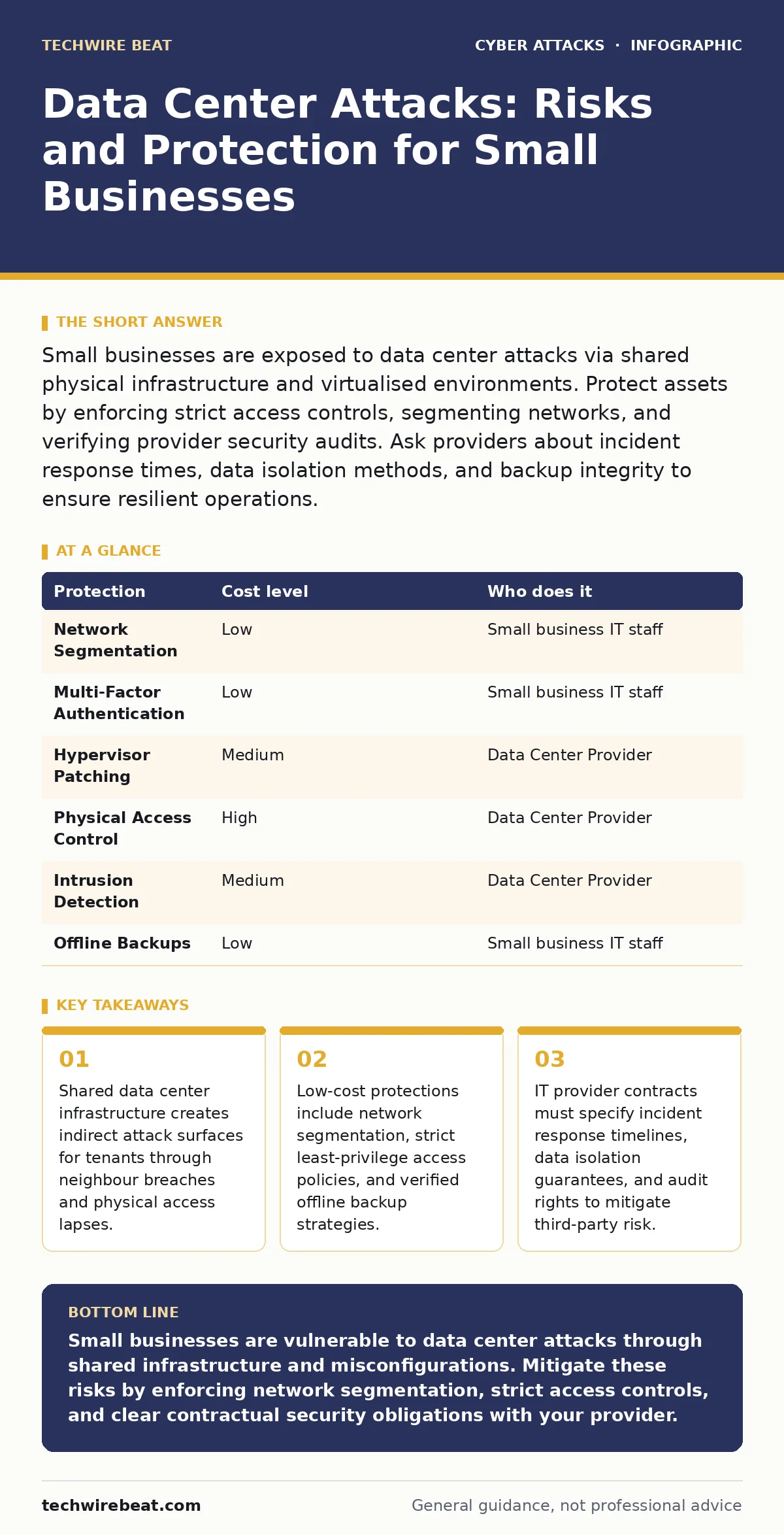
| Protection | Cost level | Who does it |
|---|---|---|
| Network Segmentation | Low | Small business IT staff |
| Multi-Factor Authentication | Low | Small business IT staff |
| Hypervisor Patching | Medium | Data Center Provider |
| Physical Access Control | High | Data Center Provider |
| Intrusion Detection | Medium | Data Center Provider |
| Offline Backups | Low | Small business IT staff |
Contractual Safeguards
Your contract with the data center provider is a legal security tool. It should define specific security obligations. Include clauses that require the provider to notify you of breaches within a set timeframe. Specify the types of incidents that trigger notification. Vague terms allow providers to delay disclosure. This delay can worsen the impact of an attack on your business.
Define the provider’s liability for security failures. While they may limit financial liability, they must accept responsibility for technical failures. Include rights to audit their security practices. This allows you to verify their claims. Require them to maintain insurance that covers cyber incidents. This ensures they have the resources to respond to major breaches.
Specify data ownership and deletion procedures. When you terminate the contract, your data must be securely destroyed. Require written confirmation of destruction. This prevents former providers from retaining your data. It also ensures compliance with data protection regulations. Clear contractual terms reduce ambiguity during a crisis.
See also: Is Passkeys Safe? The Cryptographic Reality Behind Passwordless Login · Difference Between Smishing and Vishing: How Each Attack Works
Monitoring and Incident Response
You cannot rely solely on your provider’s monitoring. Implement your own logging and alerting systems. Collect logs from your virtual machines and applications. Send these logs to a separate, secure storage location. This ensures you have evidence even if the provider’s systems are compromised. Use automated tools to detect unusual activity.
Define your incident response plan. Identify who makes decisions during a breach. Establish communication channels with your provider. Know who to contact for urgent security issues. Test your plan regularly. Conduct tabletop exercises to simulate attacks. Identify gaps in your response. Update your plan based on lessons learned. A static plan becomes obsolete quickly.
Coordinate with your provider’s response team. Understand their escalation procedures. Ensure your contacts are aligned. This reduces confusion during an incident. Clear communication speeds up containment. It minimises the duration of the breach. Every minute of delay increases potential damage. Preparedness is the best defence against chaos.
The Hidden Costs of Security
Security measures have trade-offs. Strict access controls can slow down operations. Employees may struggle to access necessary resources. This friction can lead to workarounds that bypass security. Balance security with usability. Provide clear guidelines and training. Explain the reasons behind restrictions. Understanding the purpose increases compliance.
Regular audits and testing consume time and resources. Small teams may find this burdensome. Prioritise critical assets. Focus efforts on protecting the most valuable data. Accept lower security for less sensitive information. This approach optimises resource allocation. It ensures you get the most protection for your investment.
Remember that security is an ongoing process. Threats evolve constantly. New attack vectors emerge regularly. You must adapt your defences accordingly. Stay informed about industry trends. Participate in security communities. Share knowledge with peers. Collective defence strengthens everyone. Isolation leaves you vulnerable.
Key takeaways
- Shared data center infrastructure creates indirect attack surfaces for tenants through neighbour breaches and physical access lapses.
- Low-cost protections include network segmentation, strict least-privilege access policies, and verified offline backup strategies.
- IT provider contracts must specify incident response timelines, data isolation guarantees, and audit rights to mitigate third-party risk.
Small businesses are vulnerable to data center attacks through shared infrastructure and misconfigurations. Mitigate these risks by enforcing network segmentation, strict access controls, and clear contractual security obligations with your provider.
Frequently asked questions
How do I know if my data center provider is secure?
Review their independent security audits, ask about their incident response times, and verify their data isolation methods. Look for providers that offer transparency and allow contractual audit rights.
What is VM escape and why does it matter?
VM escape is a technique where attackers break out of a virtual machine to access the host server and other tenants. It matters because it bypasses virtual boundaries, exposing neighbouring businesses to compromise.
Should I use multi-factor authentication for all employees?
Yes, especially for accounts with access to sensitive data or administrative privileges. It adds a critical layer of defence against credential theft and phishing attacks.
How often should I test my backups?
Test backups regularly, ideally monthly or quarterly. Verify that data can be restored completely and accurately. Untested backups may fail when needed most.
How this guide was produced: written by the TechWire Beat editorial team with AI assistance, checked against the public references listed below, and reviewed when the facts change. See our editorial policy or report an error.