How to Prevent Node.js Application Vulnerabilities Effectively
Most Node.js breaches stem from third-party code rather than your own logic, making dependency hygiene the primary defence.

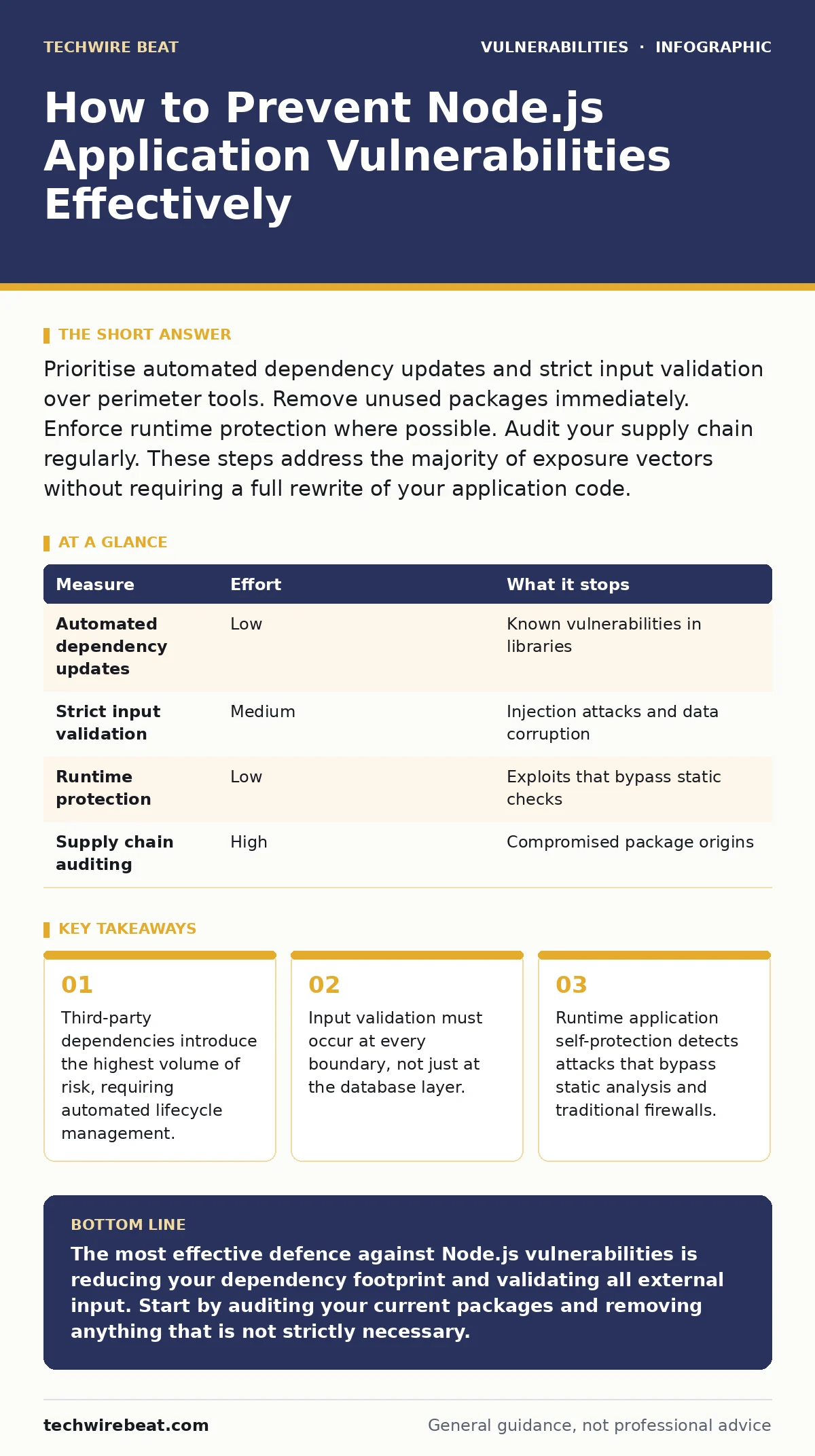
Prioritise automated dependency updates and strict input validation over perimeter tools. Remove unused packages immediately. Enforce runtime protection where possible. Audit your supply chain regularly. These steps address the majority of exposure vectors without requiring a full rewrite of your application code.
The Hidden Cost of Third-Party Code
Node.js applications rarely consist solely of original code. You rely on the Node Package Manager to pull in libraries that handle everything from JSON parsing to HTTP requests. This convenience creates a massive attack surface. Every library you include becomes part of your application’s trust boundary. If a single dependency contains a flaw, your application inherits that flaw.
Imagine a scenario where a popular logging library receives an update that introduces a remote code execution flaw. Your application does not change, but its risk profile shifts instantly. This is the reality of modern software development. The code you write is often a minority of the total lines executed. Understanding this dependency chain is the first step in securing your environment. You must treat third-party code with the same scrutiny as your own source files.
| Measure | Effort | What it stops |
|---|---|---|
| Automated dependency updates | Low | Known vulnerabilities in libraries |
| Strict input validation | Medium | Injection attacks and data corruption |
| Runtime protection | Low | Exploits that bypass static checks |
| Supply chain auditing | High | Compromised package origins |
Automate Dependency Lifecycle Management
Manual updates are ineffective at scale. Developers often defer updating libraries to avoid breaking changes, leaving known vulnerabilities exposed for months. You need a system that identifies and applies patches automatically. This approach reduces the window of exposure for known issues. It also ensures that your application benefits from security fixes as soon as they are available.
See our guide on dependency updates for strategies on managing version conflicts. Automated tools can scan your project’s lock files and open pull requests for upgrades. This shifts the burden from human memory to machine reliability. You still need to review the changes, but the discovery phase becomes instantaneous. Prioritise critical security patches over minor feature updates. This hierarchy keeps your application stable while reducing risk.
Validate Input at Every Boundary
Input validation is the process of ensuring that data entering your application meets expected formats and constraints. Many developers assume that the framework handles this automatically. This assumption is dangerous. Frameworks provide helpers, but they do not enforce security policies by default. You must define what valid data looks like for every endpoint, every form field, and every API parameter.
Consider a search function that accepts user input. If you pass this input directly to a database query, you risk SQL injection. Even if you use an ORM, improper configuration can lead to NoSQL injection. You must sanitise and validate data before it interacts with any backend service. Use allowlists rather than blocklists. An allowlist specifies exactly what characters and formats are permitted. A blocklist attempts to filter out known bad patterns, which attackers can easily bypass using encoding tricks.
Enforce Runtime Application Self-Protection
Static analysis tools scan your code before it runs. They look for patterns that resemble known vulnerabilities. However, they miss logic flaws and runtime errors. Runtime Application Self-Protection monitors the application while it is executing. It can detect anomalies such as unexpected memory access or unusual function calls. This layer provides defence against zero-day exploits that static tools cannot see.
Imagine an attacker who finds a logic flaw that allows them to traverse directories. Static analysis might not flag this if the code structure looks valid. Runtime protection can detect the abnormal file access pattern and block the request. This adds a layer of security that operates independently of your codebase. It is particularly useful for legacy applications where refactoring is not immediately possible. This measure complements your development practices by catching errors that slip through the cracks.
Audit Your Supply Chain Integrity
Not all vulnerabilities come from code flaws. Some originate from compromised packages. Attackers may hijack accounts or publish malicious packages with names similar to popular libraries. This is known as typosquatting. If you install a package from an untrusted source, you may be introducing malware directly into your build process. You must verify the integrity of every package you install.
Use checksums to verify package contents. Ensure that your package manager is configured to only pull from official registries. Review the maintainers of critical dependencies. A package with no recent activity or no clear maintainer is a higher risk. See our guide on GitHub Actions workflow injection for how supply chain attacks can extend into your CI/CD pipelines. Securing the pipeline is as important as securing the code.
See also: Mass Assignment Vulnerabilities: 6 Coding Mistakes That Expose Data · Server-Side Request Forgery Prevention Checklist for Secure Code
Remove Unused Dependencies
Every package you include increases your attack surface. Unused dependencies are a silent risk. They may contain vulnerabilities that you do not need, but they are still present in your deployment. Regularly audit your project to identify and remove packages that are no longer used. This process, known as dependency pruning, reduces the total number of potential entry points for attackers.
This task requires discipline. You must test your application after removing each package to ensure functionality is not broken. However, the long-term benefit is a leaner, more secure application. Fewer dependencies mean fewer updates to manage and fewer potential flaws to patch. This is a quick win that provides immediate risk reduction. It also improves build times and reduces the size of your deployment artefacts.
Implement Least Privilege Access
Your application should run with the minimum permissions required to function. If your Node.js process runs as root, an attacker who exploits a vulnerability gains full control of the system. You should configure your application to run as a non-privileged user. This limits the damage that can be done if a breach occurs.
See our guide on sudo vulnerabilities for details on how privilege escalation can compromise system integrity. Restrict file system access to only the directories your application needs. Limit network access to only the services your application must communicate with. This containment strategy ensures that even if an attacker gains access, their ability to move laterally is severely restricted. This is a fundamental security principle that applies to all software, not just Node.js.
Checklist for Immediate Action
- Audit your project’s dependencies and remove any that are unused or unmaintained.
- Implement automated scanning for known vulnerabilities in your CI/CD pipeline.
- Review your input validation logic to ensure it uses allowlists rather than blocklists.
Key takeaways
- Third-party dependencies introduce the highest volume of risk, requiring automated lifecycle management.
- Input validation must occur at every boundary, not just at the database layer.
- Runtime application self-protection detects attacks that bypass static analysis and traditional firewalls.
The most effective defence against Node.js vulnerabilities is reducing your dependency footprint and validating all external input. Start by auditing your current packages and removing anything that is not strictly necessary.
Frequently asked questions
Does using a framework prevent all injection attacks?
No. Frameworks provide helpers but do not enforce security policies. You must still validate and sanitise all user input before processing it.
How often should I update my dependencies?
You should update dependencies as soon as security patches are released. Automate this process to ensure timely application of fixes.
Can runtime protection replace secure coding practices?
No. Runtime protection detects attacks but does not fix the underlying code flaws. Secure coding remains the primary defence.
What is the biggest risk in Node.js applications?
The biggest risk is third-party dependencies. They introduce the highest volume of potential vulnerabilities into your application.
How this guide was produced: written by the TechWire Beat editorial team with AI assistance, checked against the public references listed below, and reviewed when the facts change. See our editorial policy or report an error.