Dependency Updates: Seven Practices to Secure Your Supply Chain
Updating dependencies fixes known flaws but often introduces new attack surfaces through transitive libraries that your application never directly calls.

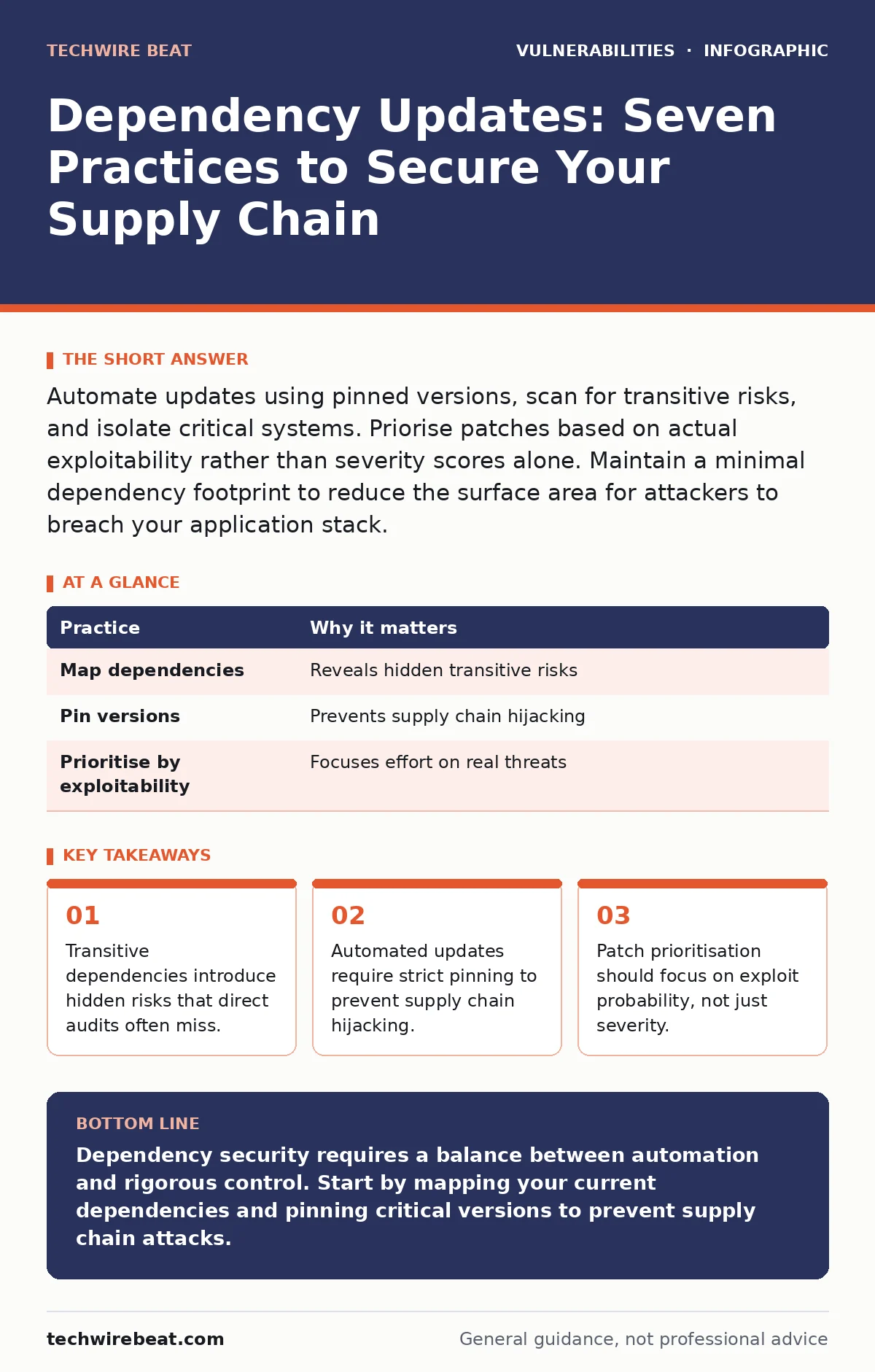
Automate updates using pinned versions, scan for transitive risks, and isolate critical systems. Priorise patches based on actual exploitability rather than severity scores alone. Maintain a minimal dependency footprint to reduce the surface area for attackers to breach your application stack.
The Hidden Cost of Third-Party Code
Modern applications rarely consist solely of code written by your team. They rely on a complex web of libraries, frameworks, and tools known as dependencies. When you update a single component, you often pull in dozens of other packages. This creates a supply chain where a flaw in an obscure library can compromise your entire system.
The danger lies in the invisibility of these connections. You may audit your direct dependencies but ignore the libraries they depend on, known as transitive dependencies. These indirect links form the bulk of your software bill of materials. Ignoring them leaves blind spots that attackers frequently exploit.
1. Map Your Software Composition Analysis
You cannot protect what you cannot see. Software composition analysis is the process of identifying all open-source components within your application, including their versions and licenses. This creates a baseline inventory of your external code.
Without this map, you are updating blindly. You may miss critical libraries that do not receive prominent security advisories. The map also reveals outdated components that no longer receive maintenance, posing a long-term risk.
Tip: Run a full scan during every build process. Store the resulting manifest in a version-controlled repository to track changes over time.
2. Pin Versions to Exact Hashes
Using floating version ranges allows your build system to pull the latest available version automatically. This sounds convenient, but it exposes you to supply chain attacks where a malicious actor pushes compromised code to a public registry.
By pinning versions to specific cryptographic hashes or exact version numbers, you ensure that only the code you have verified is installed. This adds a layer of verification that prevents unexpected changes from entering your environment.
Tip: Configure your package manager to reject updates that do not match the pinned hash in your lock file.
3. Prioritise by Exploit Probability
Not all vulnerabilities are equal. Some have public exploits that are actively used by attackers, while others are theoretical flaws with no known method of execution. Relying solely on severity scores often leads to alert fatigue, where teams ignore high-severity items that are not actually exploitable in their context.
Consider the likelihood of an attack when prioritising updates. A vulnerability in an internal tool with no external access is less urgent than one in a public-facing API. This approach aligns with risk-based vulnerability management principles, ensuring you address the most dangerous threats first.
Tip: Use an EPSS score to gauge the probability of a vulnerability being exploited in the wild, rather than relying only on traditional severity ratings.
| Practice | Why it matters |
|---|---|
| Map dependencies | Reveals hidden transitive risks |
| Pin versions | Prevents supply chain hijacking |
| Prioritise by exploitability | Focuses effort on real threats |
4. Automate Minor and Patch Updates
Manual updates are slow and prone to human error. Developers often delay updates because they fear breaking existing functionality. Automation removes this friction by applying safe updates continuously.
However, automation must be constrained. Only automate updates for minor and patch releases that are guaranteed to be backward compatible. Major version updates require manual review because they often introduce breaking changes that could destabilise your application.
Tip: Set up automated pull requests for minor updates. Require human approval only for major version changes or when dependencies cross security boundaries.
5. Isolate Critical Dependencies
Some dependencies handle sensitive operations, such as authentication or data encryption. A flaw in these components can lead to immediate data breach or system takeover. Treating these components with the same level of scrutiny as a logging library is a mistake.
Isolate critical dependencies by limiting their access to other parts of your system. Use containerisation or sandboxing to ensure that if a vulnerability is exploited, the attacker cannot move laterally to other services.
Tip: Define strict network policies that restrict communication between services based on the sensitivity of the data they handle.
6. Monitor for Abandoned Projects
Open-source projects often rely on volunteer maintainers. When a maintainer loses interest, the project may stop receiving security updates. Using an abandoned library means you are responsible for fixing any future vulnerabilities yourself.
Identify dependencies that have not been updated in over a year. These are candidates for replacement with actively maintained alternatives. Continuing to use stale code increases the risk of unpatched vulnerabilities accumulating over time.
Tip: Set up alerts for dependencies that have not had a release in the last twelve months. Investigate whether a fork or alternative exists.
7. Test Updates in Staging Environments
Even minor updates can introduce subtle bugs that break functionality. Testing in a production-like environment catches these issues before they affect users. This step is vital for maintaining system stability while keeping security current.
Do not skip testing for automated updates. Configure your CI/CD pipeline to run integration tests against the updated dependencies. This ensures that security updates do not come at the cost of application reliability.
Tip: Use feature flags to roll out new dependency versions to a small subset of users before a full deployment.
8. Review License Compliance Regularly
Security is not the only risk in dependency management. Some open-source licenses impose restrictions on commercial use or require you to open-source your own code. Ignoring these terms can lead to legal disputes that distract from security efforts.
Regularly review the licenses of your dependencies. Ensure that new updates do not introduce incompatible license terms. This administrative task is as important as technical security in maintaining a healthy software supply chain.
Tip: Integrate license checking tools into your build process to flag non-compliant dependencies automatically.
9. Establish a Vulnerability Lifecycle
Updates are not a one-time event. They are part of a continuous cycle of identification, assessment, remediation, and verification. Without a defined lifecycle, updates become ad-hoc and inconsistent.
Define clear roles and responsibilities for each stage. Who identifies the update? Who tests it? Who approves it? A structured process ensures that no step is skipped and that accountability is clear. This approach supports a mature vulnerability lifecycle that adapts to new threats.
Tip: Document your update process and review it quarterly to ensure it remains effective against evolving attack techniques.
Key takeaways
- Transitive dependencies introduce hidden risks that direct audits often miss.
- Automated updates require strict pinning to prevent supply chain hijacking.
- Patch prioritisation should focus on exploit probability, not just severity.
Dependency security requires a balance between automation and rigorous control. Start by mapping your current dependencies and pinning critical versions to prevent supply chain attacks.
Frequently asked questions
How often should I update my dependencies?
Automate minor and patch updates continuously. Review major version updates quarterly or when new critical vulnerabilities are disclosed.
What is the difference between direct and transitive dependencies?
Direct dependencies are libraries you explicitly add to your project. Transitive dependencies are libraries that your direct dependencies require, often hidden from view.
Can I trust automated security tools to find all vulnerabilities?
No. Automated tools may miss context-specific risks or false negatives. Combine tooling with manual review and threat modeling for critical systems.
How do I handle a vulnerability in an abandoned library?
Fork the library to apply the patch yourself, or replace it with an actively maintained alternative. Isolate the component to limit potential damage.
How this guide was produced: written by the TechWire Beat editorial team with AI assistance, checked against the public references listed below, and reviewed when the facts change. See our editorial policy or report an error.