Tor Browser vs DuckDuckGo: Which Protects Your Identity Online?
Tor Browser hides your location and identity from networks, while DuckDuckGo only stops search engines from building a profile of your interests.

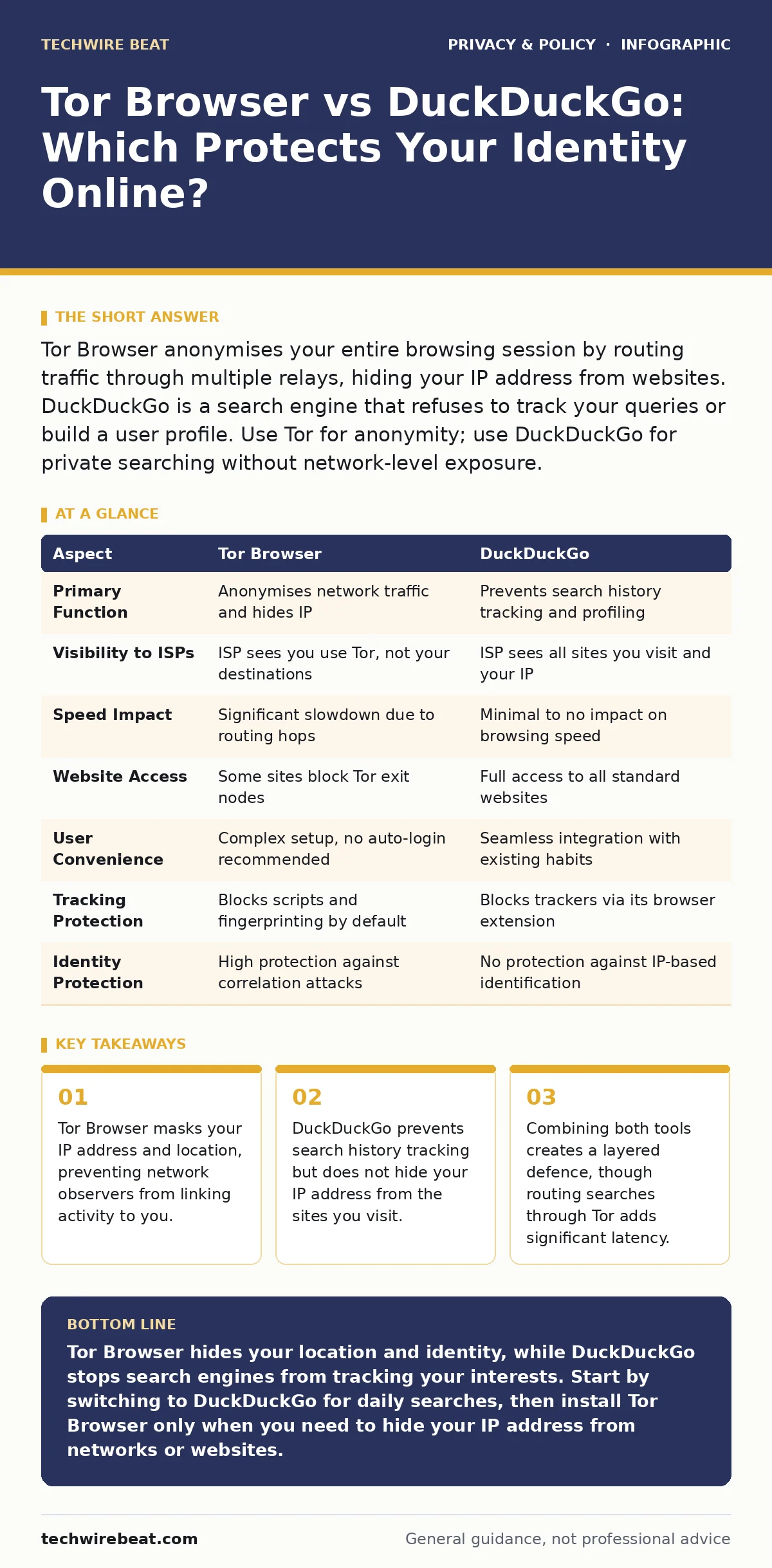
Tor Browser anonymises your entire browsing session by routing traffic through multiple relays, hiding your IP address from websites. DuckDuckGo is a search engine that refuses to track your queries or build a user profile. Use Tor for anonymity; use DuckDuckGo for private searching without network-level exposure.
The Core Difference Between Tor Browser and DuckDuckGo
Tor Browser and DuckDuckGo serve fundamentally different purposes in online privacy. Tor Browser is a modified web browser that routes your internet traffic through a series of volunteer-run relays, effectively masking your IP address and physical location. DuckDuckGo is a privacy-focused search engine that aggregates results from other sources without storing your search history or creating a personalised profile. One tool hides who you are and where you are; the other tool simply refuses to remember what you looked for.
Imagine you are walking through a crowded market. Using DuckDuckGo is like wearing a hat that prevents shopkeepers from recognising your face, but they can still see which stalls you visit. Using Tor Browser is like walking through a maze where you change clothes at every turn, making it impossible for anyone to trace your path back to your home.
What Is Tor Browser?
Tor Browser is a free, open-source application designed to protect your identity and location online. It works by encrypting your data and bouncing it through at least three different servers, known as relays, before it reaches its destination. This process, called onion routing, ensures that no single relay knows both the source of the traffic and its final destination. The browser also strips out identifying data, such as your screen resolution and installed fonts, to prevent fingerprinting.
This level of isolation comes with trade-offs. The multiple hops significantly slow down connection speeds. Some websites block traffic originating from known Tor exit nodes, assuming it comes from malicious actors. You also lose the convenience of logged-in sessions, as Tor recommends against staying signed into personal accounts to maintain anonymity.
What Is DuckDuckGo?
DuckDuckGo is a search engine that prioritises user privacy by design. Unlike dominant competitors, it does not track your search history, does not use your IP address to personalise results, and does not sell your data to advertisers. It also includes features like firewalls that block third-party trackers on websites you visit through its browser app.
DuckDuckGo functions as a standard search tool. It does not alter how your internet traffic travels across the network. Your internet service provider and the websites you visit can still see your IP address. It protects your data from being harvested by the search engine itself, but it offers no protection against network-level surveillance or site-level tracking scripts that operate outside the search interface.
Tor Browser vs DuckDuckGo: A Point-by-Point Comparison
| Aspect | Tor Browser | DuckDuckGo |
|---|---|---|
| Primary Function | Anonymises network traffic and hides IP | Prevents search history tracking and profiling |
| Visibility to ISPs | ISP sees you use Tor, not your destinations | ISP sees all sites you visit and your IP |
| Speed Impact | Significant slowdown due to routing hops | Minimal to no impact on browsing speed |
| Website Access | Some sites block Tor exit nodes | Full access to all standard websites |
| User Convenience | Complex setup, no auto-login recommended | Seamless integration with existing habits |
| Tracking Protection | Blocks scripts and fingerprinting by default | Blocks trackers via its browser extension |
| Identity Protection | High protection against correlation attacks | No protection against IP-based identification |
The table above highlights that these tools address different layers of the privacy stack. Tor operates at the network and application layer, while DuckDuckGo operates at the data collection layer of a specific service.
When to Choose Tor Browser
Choose Tor Browser when your primary goal is anonymity rather than convenience. You need this tool if you are in a region with heavy internet censorship or surveillance. It is the correct choice when you need to bypass geo-restrictions or access blocked content without revealing your location.
Use Tor when you are communicating with sensitive sources or publishing content that could reveal your identity. It is also useful for checking if your personal information has been leaked on people-search sites, as these databases often rely on IP-based attribution. Remember that Tor does not encrypt traffic to the final website if it uses HTTP, so always look for HTTPS indicators.
When to Choose DuckDuckGo
Choose DuckDuckGo when you want to stop search engines from building a profile of your interests. It is ideal for everyday users who are concerned about targeted advertising but do not need to hide their physical location. You can use it alongside your regular browser without sacrificing speed or compatibility.
Select DuckDuckGo if you want to reduce your digital footprint without changing your browsing habits significantly. It is a suitable starting point for those new to privacy tools. You might also consider it when reviewing social media privacy risks, as it helps you search for information about platforms without feeding data back into the algorithms that power those platforms.
Where They Overlap and Complement Each Other
These tools can work together to create a stronger privacy posture. You can use DuckDuckGo as your search engine within the Tor Browser. This combination ensures that your search queries are not tracked by the search engine, while your IP address and location remain hidden from the search engine and the websites you visit.
However, this setup increases latency. The traffic must travel through the Tor network and then to DuckDuckGo’s servers. For users concerned with end-to-end encryption, note that neither tool encrypts the data itself; they only hide the metadata and prevent tracking. Always verify that the websites you visit use HTTPS to encrypt the actual content of your communications.
Final Considerations for Privacy Users
Understanding the distinction between anonymity and privacy is key. Tor provides anonymity by hiding your identity. DuckDuckGo provides privacy by limiting data collection. Neither tool is a silver bullet. You should also consider DNS over HTTPS to prevent your internet service provider from seeing which domains you request, adding another layer of protection to your setup.
Regularly review your privacy audits to ensure your settings remain effective as software updates occur. Technology evolves, and so do tracking methods. Staying informed about privacy laws for small businesses can also help you understand how your data is handled when you interact with smaller, less regulated services online.
Key takeaways
- Tor Browser masks your IP address and location, preventing network observers from linking activity to you.
- DuckDuckGo prevents search history tracking but does not hide your IP address from the sites you visit.
- Combining both tools creates a layered defence, though routing searches through Tor adds significant latency.
Tor Browser hides your location and identity, while DuckDuckGo stops search engines from tracking your interests. Start by switching to DuckDuckGo for daily searches, then install Tor Browser only when you need to hide your IP address from networks or websites.
Frequently asked questions
Can I use Tor Browser for banking?
It is not recommended because Tor exit nodes are often untrusted, and some banking sites block Tor traffic entirely for security reasons.
Does DuckDuckGo hide my IP address?
No, DuckDuckGo does not hide your IP address from the websites you visit or your internet service provider.
Is Tor Browser legal to use?
Yes, Tor Browser is legal to use in most countries, though some governments restrict or monitor its usage.
Can websites tell if I am using Tor?
Yes, websites can detect traffic from known Tor exit nodes and may block access or serve different content.
How this guide was produced: written by the TechWire Beat editorial team with AI assistance, checked against the public references listed below, and reviewed when the facts change. See our editorial policy or report an error.