Detecting Insecure File Permissions: Signals, Tools and Blind Spots
Insecure file permissions often hide in plain sight within application logs and automated deployment pipelines, bypassing traditional network perimeter defences.

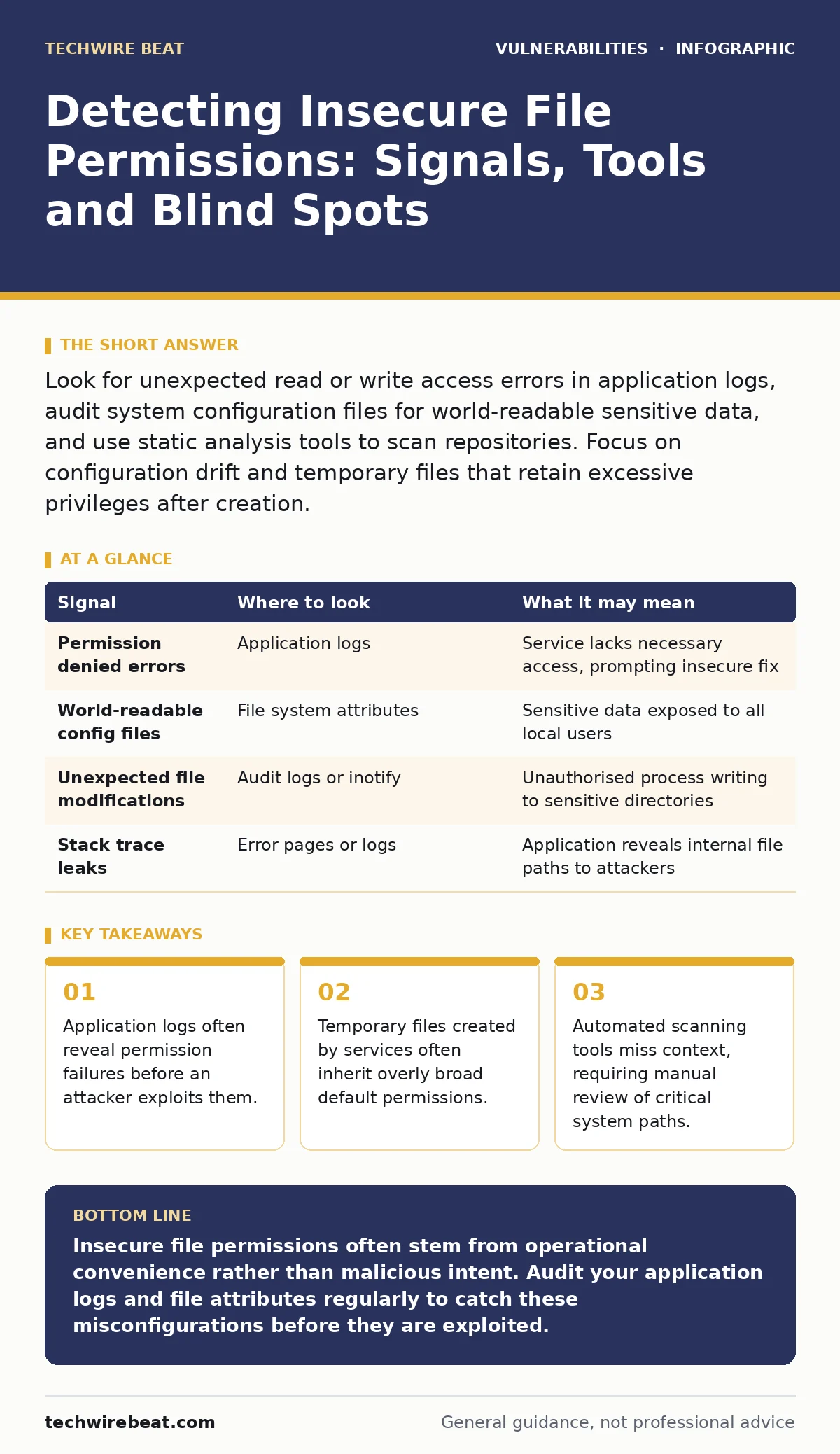
Look for unexpected read or write access errors in application logs, audit system configuration files for world-readable sensitive data, and use static analysis tools to scan repositories. Focus on configuration drift and temporary files that retain excessive privileges after creation.
Log Indicators of Permission Misconfiguration
Application logs provide the first line of defence against insecure file permissions. When a service attempts to read a configuration file or write to a log directory, the operating system enforces access control lists. A failure here generates a specific error message. You should look for messages indicating "permission denied" or "access denied" for services that are expected to have access. These errors suggest the file permissions are too restrictive for legitimate operations, which often leads administrators to broaden permissions unnecessarily. This broadening creates the insecurity.
Suppose a web server cannot write to its temporary directory. An administrator might change the directory permissions to allow all users to write. This resolves the immediate error but introduces a risk where any local user can inject malicious scripts into the temporary directory. The log entry for the initial failure is the signal. The subsequent permission change is the vulnerability. Monitoring these error patterns helps you identify when permission tightening is causing operational friction that leads to insecure workarounds.
System Configuration and File Attributes
System configuration files often contain sensitive data such as database connection strings or API keys. These files must be readable by the service that uses them but should not be readable by other users on the system. You can detect insecure permissions by auditing the file attributes directly. On Unix-like systems, the standard permission triplet defines read, write and execute rights for the owner, the group and others. A common mistake is setting the "others" category to read. This allows any user on the system to view the file contents.
You should also check for symbolic links. A symbolic link is a reference to another file or directory. If a symbolic link points to a sensitive file but has loose permissions, it can bypass the security of the target file. Automated tools may not follow these links correctly during a scan. Manual verification of symbolic links in critical directories is necessary. You must ensure that the link itself and the target file have appropriate restrictions. This prevents privilege escalation through indirect access.
Behavioural Anomalies in Application Runtime
Applications behave differently when they encounter permission boundaries. Some applications fail gracefully and log the error. Others may crash or expose stack traces. These stack traces can reveal the path to the restricted file. An attacker can use this information to map the application structure. You should monitor for repeated crashes or errors that correlate with specific file access attempts. This behavioural pattern indicates a misconfiguration in how the application manages its working directory.
Imagine a service that creates temporary files in a shared directory. If the service does not set restrictive permissions on these temporary files, other processes on the system can read or modify them. This is a race condition vulnerability. The application behaves normally, but the underlying file system allows unintended access. You can detect this by monitoring the creation and modification times of files in shared directories. Sudden changes in file ownership or permissions during runtime are strong indicators of insecure handling.
| Signal | Where to look | What it may mean |
|---|---|---|
| Permission denied errors | Application logs | Service lacks necessary access, prompting insecure fix |
| World-readable config files | File system attributes | Sensitive data exposed to all local users |
| Unexpected file modifications | Audit logs or inotify | Unauthorised process writing to sensitive directories |
| Stack trace leaks | Error pages or logs | Application reveals internal file paths to attackers |
Automated Detection Tools and Scanners
Static analysis tools can scan code repositories for hardcoded paths and permission settings. These tools check for patterns that indicate insecure defaults. For example, they might flag a script that creates a file with maximum permissions. You should integrate these tools into your continuous integration pipeline. This ensures that new code does not introduce permission vulnerabilities. However, these tools have limitations. They cannot detect runtime behaviour or environment-specific misconfigurations.
Dynamic analysis tools monitor the application while it runs. They can detect file access patterns and permission changes in real-time. These tools are more accurate but require more resources. You should use a combination of static and dynamic analysis. Static tools catch obvious mistakes early. Dynamic tools catch complex runtime issues. This layered approach provides better coverage. You must also review the tool configurations to ensure they are checking the correct directories and file types.
Common Blind Spots in Permission Audits
Temporary files are a frequent blind spot. Applications often create temporary files in standard directories like /tmp or /var/tmp. These directories are usually world-writable by design. If an application does not set restrictive permissions on the files it creates, any user can access them. You should audit your applications to ensure they use secure temporary file creation functions. These functions set restrictive permissions automatically.
Another blind spot is shared libraries. If a shared library has insecure permissions, an attacker can replace it with a malicious version. This is a form of privilege escalation. You should verify that shared libraries are owned by root and have read-only permissions for other users. Regular audits of library directories help prevent this. You should also check for environment variables that influence library loading paths. Attacker-controlled paths can bypass security checks.
Contextual Risks and Dependency Chains
File permissions are not isolated from other security controls. A vulnerability in one area can amplify the risk of insecure permissions. For example, if an application has a mass assignment vulnerability, an attacker might be able to change file paths or permissions through input parameters. This bypasses the operating system's access controls. You should review your application input validation to ensure it does not allow manipulation of file system operations.
Similarly, if you rely on third-party libraries, you must consider their permission requirements. Some libraries may require broader permissions than necessary. You should review the documentation for each dependency. If a library requires world-writable directories, consider isolating it in a container or virtual machine. This limits the blast radius of a compromise. Understanding the dependency chain helps you identify where permission misconfigurations might originate.
Integrating Permission Checks into Lifecycle
Detecting insecure file permissions is an ongoing process. You should integrate permission checks into your vulnerability lifecycle. This includes initial code review, deployment testing and regular audits. Each stage offers a different perspective on permission security. Code review catches hardcoded mistakes. Deployment testing catches environment-specific issues. Regular audits catch drift over time.
You should also consider secret scanning as part of your permission audit. If a file contains secrets, it must have strict permissions. Secret scanning tools can identify files that contain sensitive data. You can then verify that these files have appropriate restrictions. This combination of tools ensures that sensitive data is not exposed through loose permissions. Regular reviews of your permission policies help maintain a secure posture.
Key takeaways
- Application logs often reveal permission failures before an attacker exploits them.
- Temporary files created by services often inherit overly broad default permissions.
- Automated scanning tools miss context, requiring manual review of critical system paths.
Insecure file permissions often stem from operational convenience rather than malicious intent. Audit your application logs and file attributes regularly to catch these misconfigurations before they are exploited.
Frequently asked questions
How do I check file permissions on a Linux server?
Use the ls -l command to list files with their permission attributes. Look for the first ten characters of the output, which indicate read, write and execute rights for the owner, group and others.
What is the difference between world-readable and world-writable?
World-readable allows any user on the system to view the file contents. World-writable allows any user to modify or delete the file. Both are risky, but world-writable is more dangerous as it allows code injection.
Can insecure permissions lead to remote code execution?
Yes, if an attacker can write to a directory where the web server executes scripts, they can upload and run malicious code. This is a common vector for remote code execution in web applications.
How often should I audit file permissions?
You should audit file permissions after every significant change to the system or application. Regular automated scans can run daily or weekly to detect drift from the baseline configuration.
How this guide was produced: written by the TechWire Beat editorial team with AI assistance, checked against the public references listed below, and reviewed when the facts change. See our editorial policy or report an error.