IT Asset Management Mistakes That Expose Your Network
Unrecorded hardware often holds the key to your network, turning forgotten devices into silent entry points for attackers who bypass your main defences.

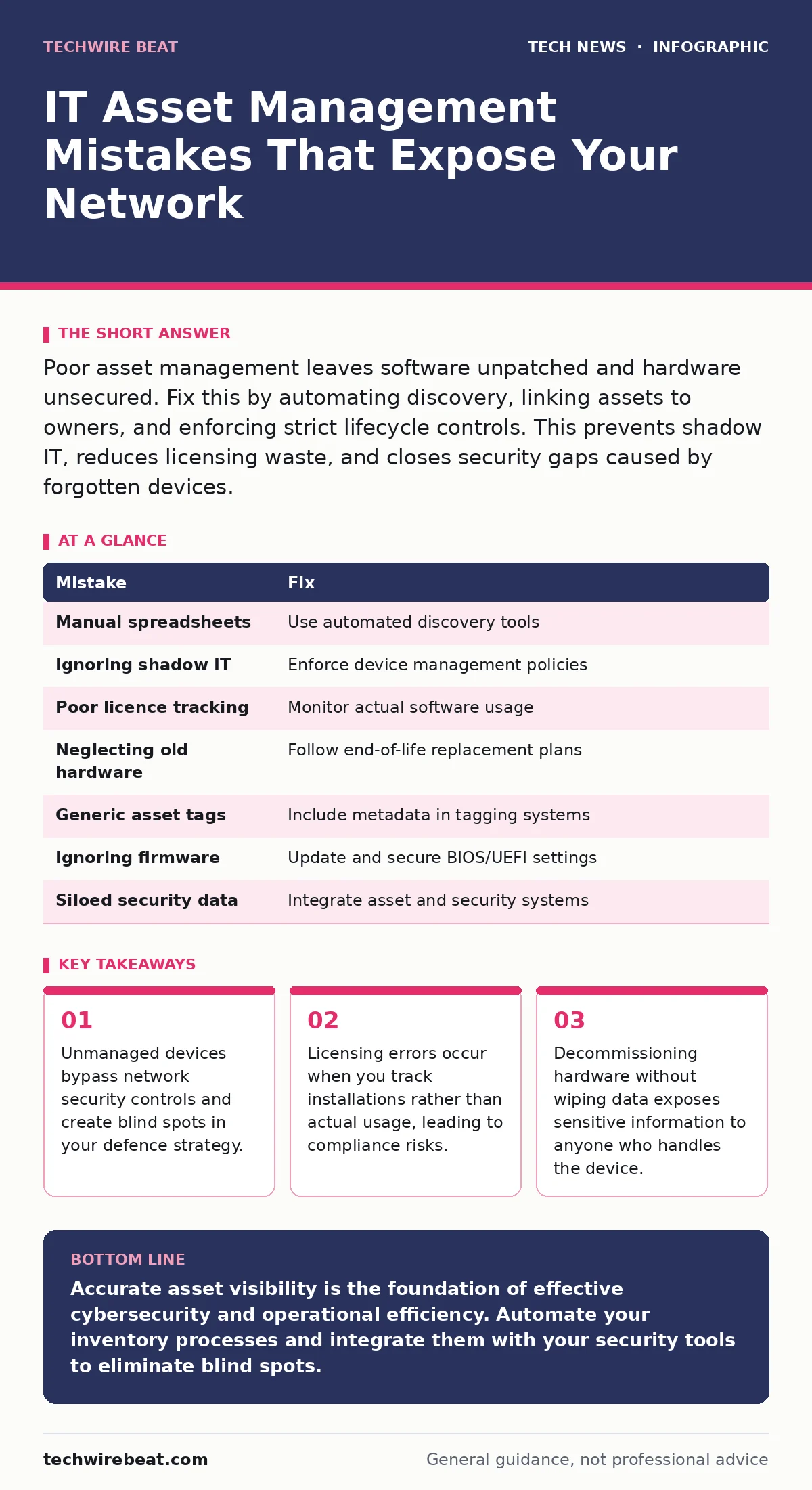
Poor asset management leaves software unpatched and hardware unsecured. Fix this by automating discovery, linking assets to owners, and enforcing strict lifecycle controls. This prevents shadow IT, reduces licensing waste, and closes security gaps caused by forgotten devices.
Mistake 1: Relying on manual spreadsheets for inventory
Why it hurts: Spreadsheets become outdated the moment a new device connects to the network. Human error leads to missing entries, duplicate records, or incorrect details about operating system versions. You cannot patch what you do not know exists. This gap allows unsecured devices to communicate freely with your internal systems. Attackers exploit these blind spots to move laterally within the network.
The fix: Implement an automated discovery tool that scans your network regularly. These tools detect active devices and update records without human intervention. They identify operating systems, installed software, and hardware configurations in real time. This ensures your inventory reflects the current state of your infrastructure. Regular audits verify that the automated data matches physical reality.
Mistake 2: Ignoring shadow IT and personal devices
Why it hurts: Employees often use personal laptops, tablets, or cloud services for work without IT approval. This shadow IT operates outside your security controls and monitoring systems. Data stored on these devices is unencrypted and unprotected by your standard policies. If a device is lost or compromised, your organisation faces data breach risks. You have no visibility into the software running on these devices, making it impossible to assess vulnerabilities.
The fix: Establish clear policies for acceptable use of personal devices. If you allow bring your own device policies, enforce strict technical controls such as mandatory encryption and remote wipe capabilities. Use mobile device management solutions to separate personal and corporate data. Monitor network traffic for unauthorised applications and block them if necessary. Educate staff on the risks of using unmanaged devices for sensitive tasks.
Mistake 3: Failing to track software licences accurately
Why it hurts: Many organisations buy more software licences than they need, wasting budget on unused seats. Others fall short, leading to non-compliance and potential legal penalties. Over-licensing hides inefficiencies, while under-licensing exposes you to audits and fines. Incorrect records make it difficult to plan for future software needs or upgrades. You may also miss out on volume discounts because you cannot prove your actual usage levels.
The fix: Integrate your asset management system with software usage monitoring tools. Track actual usage patterns rather than just installations. Identify and reclaim unused licences to optimise spending. Regularly reconcile your inventory with vendor records to ensure compliance. Automate alerts when usage approaches licence limits to prevent accidental overuse.
Mistake 4: Neglecting end-of-life hardware
Why it hurts: Hardware that has reached end-of-life no longer receives security updates or technical support. These devices remain vulnerable to known exploits that cannot be patched. They often run outdated operating systems that lack modern security features. Keeping them on the network increases your attack surface significantly. Data stored on obsolete devices may also become inaccessible if the hardware fails.
The fix: Define a clear lifecycle policy for all hardware assets. Plan replacements before devices reach end-of-life. Securely wipe data from decommissioned devices to prevent data leakage. Sell or recycle old hardware through certified vendors who provide destruction certificates. Document the disposal process for audit purposes. Refer to our guide on end-of-life hardware for detailed disposal procedures.
Mistake 5: Using generic asset tags without context
Why it hurts: Simple serial numbers or asset tags do not provide enough context for security or management decisions. You cannot quickly identify the owner, location, or sensitivity of the data on a device. This slows down incident response when a device is lost or compromised. It also makes it difficult to prioritise patching efforts based on risk. Generic tags lead to confusion and errors in the inventory database.
The fix: Use a tagging system that includes critical metadata such as owner, department, and data classification. Implement barcode or RFID tags for easy scanning and tracking. Integrate this data with your IT service management system for better visibility. Ensure that tags are durable and clearly visible on all devices. Regularly update tag information when devices change hands or locations.
Mistake 6: Overlooking firmware and BIOS security
Why it hurts: Most asset management focuses on operating systems and applications, ignoring lower-level firmware. Firmware vulnerabilities can persist even after a clean operating system installation. Attackers exploit these weaknesses to install persistent malware that survives reboots. BIOS and UEFI settings may be misconfigured, allowing unauthorised boot devices or disabling security features. This undermines the entire security stack built on top of the hardware.
The fix: Include firmware versions in your asset inventory and monitor them for updates. Enable firmware-level security features such as Secure Boot and TPM (Trusted Platform Module). Regularly check vendor advisories for critical firmware patches. Restrict physical access to devices to prevent tampering with BIOS settings. Consider our guide on USB security to limit unauthorised peripheral connections that could exploit firmware flaws.
Mistake 7: Not linking assets to security incidents
Why it hurts: When a security incident occurs, teams often struggle to identify which assets were affected. Without a clear link between assets and security events, response times increase. You cannot accurately assess the scope of a breach or the data at risk. This leads to incomplete remediation and potential recurrence of the same issue. Disconnecting asset data from security logs creates a fragmented view of your defence posture.
The fix: Integrate your asset management system with your security information and event management (SIEM) platform. Correlate asset data with security alerts to identify vulnerable devices quickly. Use this integration to automate response actions such as isolating compromised devices. Maintain a historical record of incidents per asset to identify patterns. This approach enhances your overall DNS security by ensuring that domain-related assets are also tracked and monitored.
| Mistake | Fix |
|---|---|
| Manual spreadsheets | Use automated discovery tools |
| Ignoring shadow IT | Enforce device management policies |
| Poor licence tracking | Monitor actual software usage |
| Neglecting old hardware | Follow end-of-life replacement plans |
| Generic asset tags | Include metadata in tagging systems |
| Ignoring firmware | Update and secure BIOS/UEFI settings |
| Siloed security data | Integrate asset and security systems |
Key takeaways
- Unmanaged devices bypass network security controls and create blind spots in your defence strategy.
- Licensing errors occur when you track installations rather than actual usage, leading to compliance risks.
- Decommissioning hardware without wiping data exposes sensitive information to anyone who handles the device.
Accurate asset visibility is the foundation of effective cybersecurity and operational efficiency. Automate your inventory processes and integrate them with your security tools to eliminate blind spots.
Frequently asked questions
How often should I update my IT asset inventory?
Automated systems should update in real time or daily. Manual audits should occur quarterly to verify physical assets match digital records.
What is the difference between IT asset management and IT service management?
IT asset management focuses on tracking hardware and software throughout their lifecycle. IT service management focuses on delivering IT services to users and managing incidents.
Can cloud assets be included in IT asset management?
Yes. Cloud instances, storage buckets, and SaaS subscriptions must be tracked. Use cloud access security brokers to discover and manage these resources.
How do I handle lost or stolen devices?
Immediately report the loss to your IT team. Use remote wipe capabilities to delete data. Update your inventory to reflect the device status and initiate insurance claims if applicable.
How this guide was produced: written by the TechWire Beat editorial team with AI assistance, checked against the public references listed below, and reviewed when the facts change. See our editorial policy or report an error.