DNS over HTTPS on or off: secure your traffic without the speed tax
Encrypting domain lookups hides your browsing habits from local networks but shifts trust to the resolver provider, creating a privacy trade-off you must manage carefully.

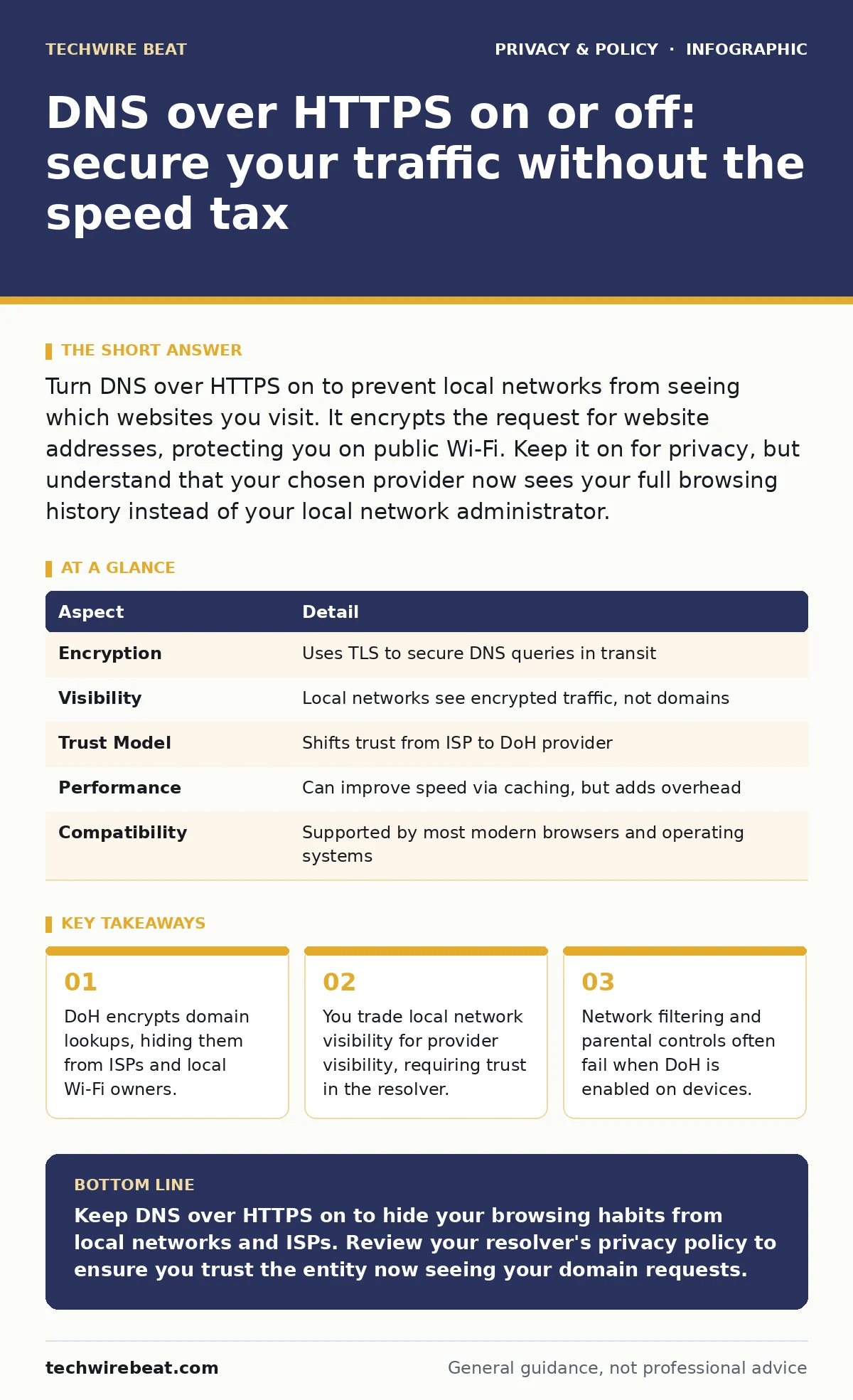
Turn DNS over HTTPS on to prevent local networks from seeing which websites you visit. It encrypts the request for website addresses, protecting you on public Wi-Fi. Keep it on for privacy, but understand that your chosen provider now sees your full browsing history instead of your local network administrator.
Understanding the Domain Name System
The Domain Name System translates human-readable website names into numerical addresses computers use to communicate. Without this translation, you would need to memorise strings of numbers for every site you visit. Standard DNS operates over an unencrypted channel, meaning any network between you and the internet can see which domains you request.
Imagine sending postcards where the recipient's address is visible to everyone who handles the mail. Standard DNS works exactly like this. Your Internet Service Provider, your office network administrator, and any malicious actor on your local Wi-Fi can read the destination of your requests. They cannot see the specific page or data you transmit, but they know exactly which services you are contacting.
How DNS over HTTPS Works
DNS over HTTPS encrypts these domain lookups inside standard HTTPS traffic. HTTPS is the secure protocol used to load most modern websites. By bundling DNS queries into this encrypted stream, DoH prevents intermediate networks from reading the destination. The request travels from your device to a chosen resolver, such as Cloudflare or Google, inside a locked tunnel.
The resolver returns the numerical address, also encrypted, back to your device. Your browser then connects to the website using that address. The entire lookup process remains invisible to the local network. This mechanism relies on the same encryption standards that protect your online banking details. It adds a layer of security that standard DNS simply does not provide.
| Aspect | Detail |
|---|---|
| Encryption | Uses TLS to secure DNS queries in transit |
| Visibility | Local networks see encrypted traffic, not domains |
| Trust Model | Shifts trust from ISP to DoH provider |
| Performance | Can improve speed via caching, but adds overhead |
| Compatibility | Supported by most modern browsers and operating systems |
Why You Should Keep It On
You should keep DNS over HTTPS on to protect your privacy on public networks. When you connect to a coffee shop Wi-Fi or an airport terminal, the network owner can monitor your standard DNS traffic. They can build a profile of your habits by seeing which services you contact. DoH blocks this surveillance by obscuring your requests.
This protection is particularly valuable when you lack control over the network infrastructure. You cannot audit the security of a public router. DoH ensures that even if the local network is compromised, your domain lookups remain private. It is a simple switch that significantly raises the barrier for casual eavesdropping and data collection by local administrators.
The Privacy Trade-Off You Must Accept
Enabling DoH shifts who sees your browsing habits. Your local network loses visibility, but your DNS provider gains it. The resolver you choose receives every domain lookup you make. This entity can log your activity, correlate it with other data, and potentially build a profile. You must trust the provider more than you trusted your local network.
This trade-off is non-obvious to many users. They assume encryption equals total privacy. In reality, it only moves the point of visibility. If you use a commercial provider, you are trusting a corporation with your browsing history. If you use a privacy-focused provider, you are trusting a smaller entity with less transparency. You cannot eliminate this risk, only choose where to place your trust.
What People Usually Get Wrong
Many users believe DoH blocks all tracking. It does not. It only hides the initial domain lookup. Once your device connects to the website, the site itself can track you via cookies and fingerprints. DoH protects the address book, not the conversation. You still need other measures for full privacy protection.
Another common error is assuming DoH bypasses all network controls. Parental controls and workplace filters often rely on DNS blocking. When DoH is enabled, these filters cannot see the requests to block them. This can allow children to access restricted content or employees to bypass security policies. Network administrators often struggle to enforce rules when devices use DoH.
See also: Email breach checkers: what they reveal and what they miss
Managing Network Conflicts and Filters
DoH can conflict with existing network security measures. Firewalls and intrusion detection systems often inspect DNS traffic to identify threats. When DNS is encrypted, these tools lose their visibility. They cannot distinguish between a legitimate query and one directed to a malicious domain. This reduces the effectiveness of network-level threat detection.
Organisations often disable DoH to maintain security oversight. Home users may face similar issues with parental controls. If you use DoH, you must ensure your devices have other security measures in place. Endpoint protection and browser extensions become more critical when network-level monitoring is reduced. You are taking more responsibility for your own security.
Related topics such as public Wi-Fi risks highlight why this encryption matters in untrusted environments. Understanding privacy audits can help you assess whether your chosen DoH provider aligns with your data protection goals. For those concerned with broader data collection, exploring data brokers reveals how DNS logs might fit into larger profiling efforts.
Choosing the Right Resolver
You can choose which provider handles your DNS over HTTPS requests. Most operating systems and browsers allow you to select a resolver. Common choices include large tech companies and privacy-focused non-profits. Each has different policies regarding data retention and sharing.
Read the privacy policy of your chosen resolver. Look for commitments to not log queries or to delete logs quickly. Avoid providers that claim to offer free service in exchange for advertising data. The best choice depends on your specific privacy needs. Some users prefer the speed of large providers, while others prioritise the privacy guarantees of smaller entities.
For users seeking maximum anonymity, tools like Tor Browser offer a different approach to hiding identity. While DoH protects domain lookups, Tor hides your entire connection path. Understanding end-to-end encryption helps you appreciate how DoH fits into a layered security strategy. It is one piece of the puzzle, not the whole solution.
Key takeaways
- DoH encrypts domain lookups, hiding them from ISPs and local Wi-Fi owners.
- You trade local network visibility for provider visibility, requiring trust in the resolver.
- Network filtering and parental controls often fail when DoH is enabled on devices.
Keep DNS over HTTPS on to hide your browsing habits from local networks and ISPs. Review your resolver's privacy policy to ensure you trust the entity now seeing your domain requests.
Frequently asked questions
Does DNS over HTTPS slow down my internet connection?
It may add a small amount of latency due to the encryption overhead. However, many providers use caching to speed up repeated requests, often resulting in comparable or faster performance than standard DNS.
Can my employer block DNS over HTTPS?
Yes, many organisations block DoH to maintain visibility for security and policy enforcement. If blocked, your device will likely fall back to standard DNS, unless you use a proxy or other bypass methods.
Is DNS over HTTPS the same as a VPN?
No, a VPN encrypts all your internet traffic, hiding both your destination and the data you send. DoH only encrypts the domain lookup, hiding where you are going but not what you do once connected.
Does DNS over HTTPS protect me from hackers?
It protects against eavesdropping on your domain requests. It does not protect against malware, phishing sites, or attacks on the websites themselves. You still need robust endpoint security and safe browsing habits.
How this guide was produced: written by the TechWire Beat editorial team with AI assistance, checked against the public references listed below, and reviewed when the facts change. See our editorial policy or report an error.