How Fuzz Testing Works: The Mechanics of Automated Bug Hunting
Fuzz testing discovers hidden flaws by feeding software corrupted data until it crashes, revealing errors that manual review and static analysis often miss entirely.

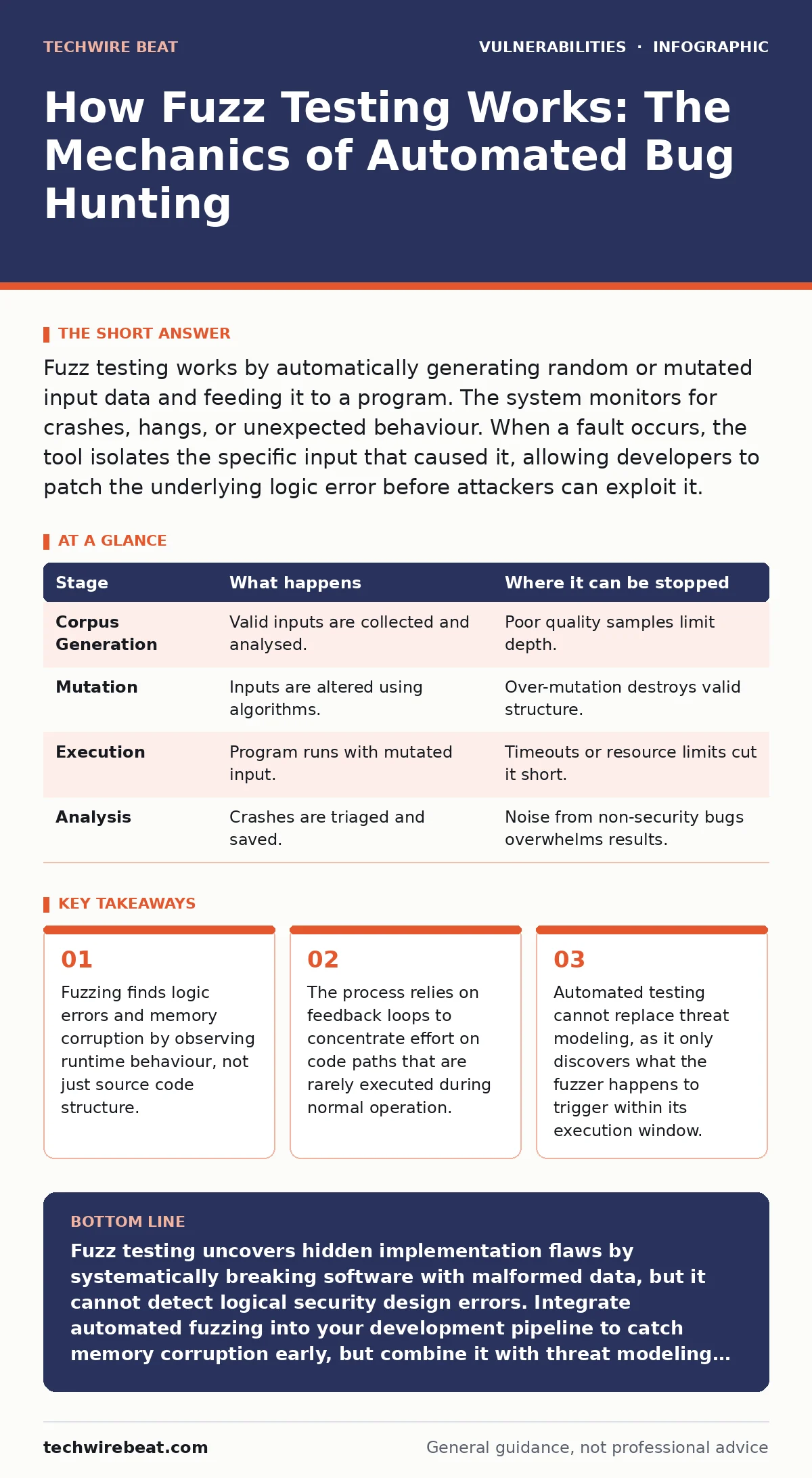
Fuzz testing works by automatically generating random or mutated input data and feeding it to a program. The system monitors for crashes, hangs, or unexpected behaviour. When a fault occurs, the tool isolates the specific input that caused it, allowing developers to patch the underlying logic error before attackers can exploit it.
The Core Mechanism of Input Mutation
Fuzz testing, or fuzzing, is an automated software testing technique that provides invalid, unexpected, or random data as inputs to a computer program. The program is then monitored for exceptions such as crashes, failing built-in code assertions, or potential memory leaks. Unlike manual testing, which follows predefined scripts, fuzzing explores the input space systematically or randomly to find edge cases.
You do not need to know where the bug is to find it. The fuzzer acts as a black box or grey box, probing the application boundaries. It treats the software as a machine that should handle any input gracefully. When the software fails to handle an input, it reveals a vulnerability. This approach is particularly effective for complex parsers, file format readers, and network protocol handlers.
Stage 1: Corpus Generation and Selection
The process begins with a corpus, which is a collection of valid input samples that the target program can process without error. These samples serve as the genetic material for the fuzzing process. A high-quality corpus ensures that the fuzzer starts with inputs that reach deep into the code logic. If the initial samples are too simple, the fuzzer may never reach the complex functions where vulnerabilities often hide.
Selecting the right corpus is a trade-off between breadth and depth. Too many samples slow down the mutation process. Too few samples limit the code coverage. The fuzzer analyses these inputs to understand the structure of the data. It identifies fields, headers, and length indicators. This structural understanding allows the tool to mutate the data intelligently rather than randomly.
Stage 2: Mutation and Input Variation
Once the corpus is established, the fuzzer begins mutating the inputs. It alters bits, bytes, or entire fields within the data structures. Simple bit-flipping changes a single bit in the input. More advanced techniques involve swapping fields, duplicating sections, or inserting random data. The goal is to create new inputs that differ slightly from the original but may trigger different code paths.
The fuzzer does not guess blindly. It uses algorithms to decide which parts of the input to change. Some fuzzers use model-based mutation, where they understand the file format schema. Others use evolutionary algorithms that keep mutations that result in new code coverage. This feedback loop is critical. It ensures that the fuzzer spends its time exploring new territory rather than re-testing known safe paths.
Stage 3: Execution and Monitoring
The mutated input is fed to the target program. The program runs as it would in a real-world scenario. The fuzzer monitors the execution closely. It looks for specific signals that indicate a failure. These signals include segmentation faults, assertion failures, or infinite loops. The monitoring must be precise. A false positive wastes debugging time. A false negative misses a critical vulnerability.
This stage often requires instrumentation. Instrumentation adds code to the program that reports which lines of code are executed. This data allows the fuzzer to measure code coverage. If a mutation causes the program to execute a new line of code, the fuzzer saves that input to the corpus. This continuous expansion of the corpus drives the fuzzer deeper into the software.
| Stage | What happens | Where it can be stopped |
|---|---|---|
| Corpus Generation | Valid inputs are collected and analysed. | Poor quality samples limit depth. |
| Mutation | Inputs are altered using algorithms. | Over-mutation destroys valid structure. |
| Execution | Program runs with mutated input. | Timeouts or resource limits cut it short. |
| Analysis | Crashes are triaged and saved. | Noise from non-security bugs overwhelms results. |
Stage 4: Crash Triage and Reduction
When the program crashes, the fuzzer records the input that caused it. This input is not immediately a security vulnerability. It might be a benign bug or a resource limitation. The next step is triage. The fuzzer attempts to reproduce the crash. If it is reproducible, the tool reduces the input. It removes unnecessary bytes to create the smallest possible input that still triggers the crash.
This reduction process is vital for debugging. A smaller input is easier for developers to analyse. It isolates the specific condition that caused the failure. The fuzzer may also cluster similar crashes. If two inputs cause the same crash in the same function, they are grouped together. This prevents the team from wasting time on duplicate issues.
Limits of Automated Discovery
Fuzz testing is powerful but not omnipotent. It finds bugs that exist in the code paths it reaches. If the fuzzer cannot generate an input that reaches a specific function, that function remains untested. This is known as the coverage gap. Complex authentication logic or state-dependent features are often difficult for fuzzers to reach.
Furthermore, fuzzing does not understand business logic. It can find a buffer overflow, but it cannot determine if the application allows a user to view another user's data due to flawed permission checks. This is where threat modeling remains relevant. Fuzzing complements, but does not replace, logical security reviews. It finds implementation errors, not design flaws.
Integration with Security Workflows
Fuzzing fits into the broader vulnerability lifecycle. It is most effective when integrated into the continuous integration pipeline. By running fuzzers on every code commit, developers catch regressions early. This shifts security left in the development process. It reduces the cost of fixing bugs compared to finding them in production.
However, the volume of findings can be overwhelming. Not every crash is a security risk. Some are low-severity stability issues. This is where risk-based vulnerability management helps. It prioritises the fuzzing results based on the severity of the crash and the exposure of the affected component. You must triage fuzzing output alongside other security signals to focus your remediation efforts.
The Hidden Cost of Noise
A common pitfall is the noise from benign bugs. Memory leaks, for example, are often flagged by fuzzers. While a memory leak is a bug, it is rarely exploitable in the same way as a buffer overflow. Fixing every finding reported by a fuzzer can drain development resources. You must filter the output. Focus on crashes that indicate memory corruption or unexpected state changes.
Another hidden cost is the complexity of setup. Configuring a fuzzer to reach deep code paths requires expertise. You may need to write custom harnesses to feed the fuzzer data correctly. This effort is justified for critical components like parsers or cryptographic libraries. For simple applications, the return on investment may be low.
Fuzzing is a tool, not a silver bullet. It works best when you understand its strengths and limitations. It excels at finding implementation errors in complex data processing. It struggles with business logic and stateful interactions. Use it to harden your code against unexpected input. Use other methods to secure your application logic.
Key takeaways
- Fuzzing finds logic errors and memory corruption by observing runtime behaviour, not just source code structure.
- The process relies on feedback loops to concentrate effort on code paths that are rarely executed during normal operation.
- Automated testing cannot replace threat modeling, as it only discovers what the fuzzer happens to trigger within its execution window.
Fuzz testing uncovers hidden implementation flaws by systematically breaking software with malformed data, but it cannot detect logical security design errors. Integrate automated fuzzing into your development pipeline to catch memory corruption early, but combine it with threat modeling to address business logic risks.
Frequently asked questions
Is fuzzing the same as penetration testing?
No. Penetration testing involves human analysts simulating real-world attacks using known techniques. Fuzzing is an automated process that generates random or mutated data to find unknown bugs without a specific attack plan.
Do I need source code to perform fuzzing?
It depends on the type. Black-box fuzzing works without source code by observing input and output. Grey-box fuzzing requires some knowledge of the structure and benefits from instrumentation, which usually needs source code access.
How long does a fuzzing campaign take?
It can run indefinitely. Fuzzers are often left running for weeks or months. The longer they run, the deeper they explore the code. However, the rate of new bug discovery decreases over time.
Can fuzzing find SQL injection vulnerabilities?
It is difficult. SQL injection depends on how input is combined with database queries. Fuzzers might trigger syntax errors, but they rarely construct valid SQL commands that exploit logic flaws unless specifically configured for it.
How this guide was produced: written by the TechWire Beat editorial team with AI assistance, checked against the public references listed below, and reviewed when the facts change. See our editorial policy or report an error.