iPhone Duo reviews highlight hardware compromises and app readiness issues
Reviewers agree the foldable iPhone is the best in class but note visible creases, weight and limited app support for early adopters.
Key points
- Critics call the device the best foldable available despite trade-offs in weight and form factor.
- A visible crease remains on the screen, though it is less intrusive than on rival devices.
- Many third-party applications have not yet been updated to support the new display layout.
Reviewers have reached a broad consensus that the iPhone Duo is currently the superior foldable smartphone, according to 9to5Mac. While the device sets a new standard for the category, experts warn that significant compromises remain for potential buyers. The general agreement suggests that Apple’s delayed entry into the foldable market allowed it to refine the design, yet the first-generation model still presents distinct drawbacks that prevent it from being a universal replacement for standard smartphones.
The primary concerns centre on physical usability and software maturity. Users who intend to keep the device folded most of the time may find the increased weight and unusual outer screen dimensions burdensome. Furthermore, the inner display shows a visible crease under certain lighting conditions, and many applications currently display incorrectly on the expanded screen. These factors mean the phone is best suited for users who prioritise the larger unfolded canvas over compact convenience.
What we know
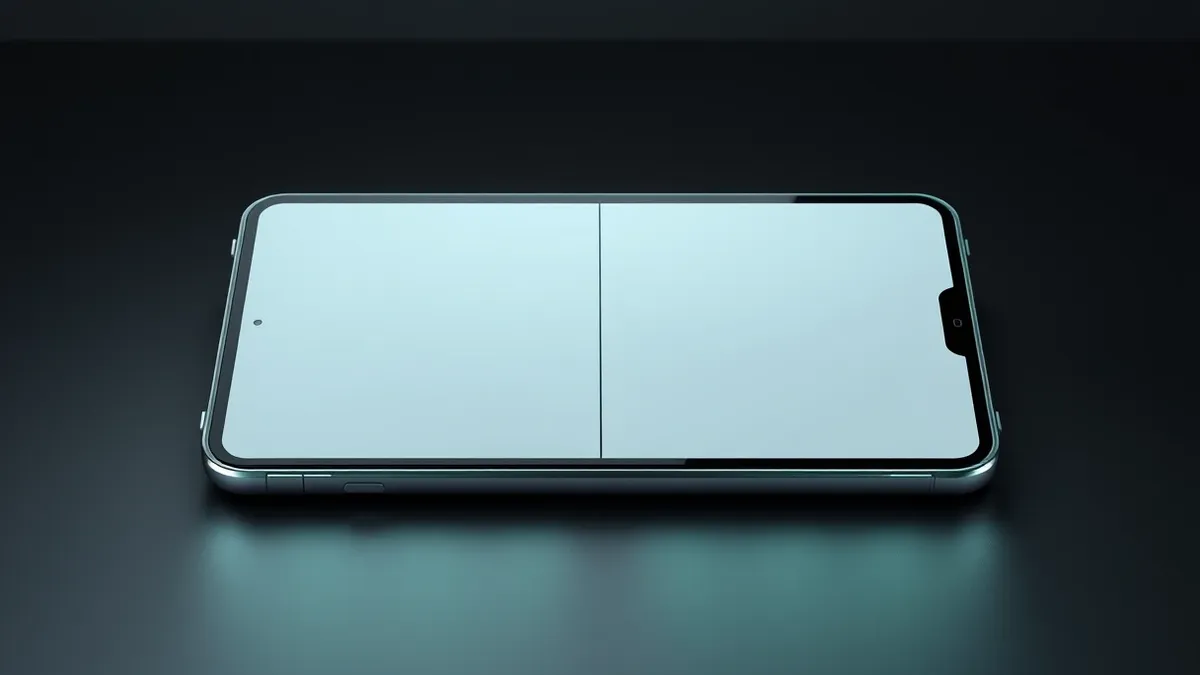
The physical build of the iPhone Duo includes a hinge mechanism that reviewers subjected to thousands of fold and unfold cycles. These tests revealed measurable impacts on both the hinge durability and the visibility of the screen crease over time. Apple has not claimed the crease would be invisible, and users can feel the indentation when touching the display. Despite this, reviewers noted that the crease is the least intrusive seen on any foldable device to date and does not significantly hinder daily interaction.
Software compatibility remains a major hurdle for early adopters. A large number of third-party applications have not yet been updated to accommodate the new screen dimensions. In some cases, this results in the app’s interface being stranded in the centre of the inner display, surrounded by black space. Reviewers anticipate this situation will improve rapidly as developers adapt their software, but initial usage is likely to involve frequent disappointments with app layouts and functionality.
Biometric authentication has also shifted with this new form factor. The iPhone Duo utilises Touch ID, marking a departure from the Face ID system found on most recent iPhones. Reviewers indicated that returning to fingerprint scanning was a significant compromise. After using the device for a week, most testers reported they did not fully adapt to the change and expressed a strong preference for the facial recognition technology they were accustomed to.
Defender's checklist
- Verify whether critical work applications have been updated for the new screen dimensions.
- Assess your daily usage patterns to determine if the unfolded screen is necessary.
- Check the physical condition of the hinge and screen after initial use.
- Confirm that Touch ID meets your security and convenience requirements.
The background in plain language
Foldable phones use flexible screens that bend along a hinge, allowing a large tablet-like display to fold into a compact phone shape. This design introduces unique challenges, such as screen creases where the panel bends and software that must dynamically adjust to changing screen sizes. Teams usually evaluate these devices by testing hinge durability and checking how well existing applications adapt to the new form factor. Users should consider whether the benefit of a larger screen outweighs the added weight and potential software glitches during the early adoption phase.
What to do and how to stay safe: iPhone Duo
- Review your essential applications to see if they support the new display layout before purchasing.
- Test the device in a store to gauge comfort with the weight and Touch ID functionality.
- Monitor for software updates that improve app compatibility and system performance.
- Inspect the screen for crease visibility under different lighting conditions during the return period.
General security guidance from the TechWire Beat newsroom. It is not confirmed advice from the organisations named in this story.
Frequently asked questions
Is the iPhone Duo suitable for everyone?
No, reviewers state it is not for everyone due to high cost, weight, and the need for frequent use of the unfolded screen.
Will the screen crease disappear over time?
No, Apple has not claimed it would be invisible, and tests show the crease remains visible and measurable over time.
How are apps performing on the iPhone Duo?
Many apps have not been updated, leading to layout issues where the interface appears in the middle of a black screen.